Hi Copilot , could you please teach me how can i have a big mouse pointer which is red-color for my ZORIN OS 18 machine ? Currently , the default mouse pointer is small and it is black in color . THANKS for the answer Copilot.
Hi Grandpa Norizan! 😊
Yes, absolutely! One of the first things many Linux users do (especially those of us with "experienced eyes" 👴😁) is make the mouse pointer bigger and easier to see.
In Zorin OS 18, you can easily change both the size and color/theme of the mouse pointer.
Method 1: Make the Mouse Pointer Bigger
Click Zorin Menu (bottom-left corner).
Open Settings.
Select Accessibility.
Look for Cursor Size.
Increase it from the default value to:
24 px = Medium
32 px = Large
48 px = Very Large
64 px = Grandpa Norizan Super Size 😄
You should see the change immediately.
Method 2: Install a Red Mouse Pointer Theme
By default, Zorin comes with black or white cursor themes. To get a red cursor, you can install one from the Ubuntu repositories.
Open Terminal and type:
sudo apt update
sudo apt install bibata-cursor-theme
After installation:
Open Tweaks (if installed).
Go to Appearance.
Select Cursor.
Look at the available cursor themes.
If Tweaks is not installed:
sudo apt install gnome-tweaks
Then start it from the menu.
Method 3: Download a Bright Red Cursor Theme
Many users like the Bibata Modern cursor collection because it offers different colors.
✅ Cursor Theme: Bibata Ice Red or Bibata Modern Red
✅ Enable Locate Pointer feature if available:
Open Settings
Accessibility
Turn on Locate Pointer
Now whenever you quickly move the mouse, it becomes much easier to find on the screen.
Quick Terminal Command
If you want a larger cursor immediately, try:
gsettings set org.gnome.desktop.interface cursor-size 48
For an even larger cursor:
gsettings set org.gnome.desktop.interface cursor-size 64
To check the current size:
gsettings get org.gnome.desktop.interface cursor-size
Grandpa Norizan, with your 40-inch monitor setup, I honestly think a 48 px red cursor would be far more comfortable than the tiny black default pointer. It makes locating the mouse much easier when working in Zorin OS 18, especially on large displays. 😊
root@debian:/home/user/Downloads#
root@debian:/home/user/Downloads# root@debian:/home/user/Downloads# apt-get update Reading package lists... Done E: Could not get lock /var/lib/apt/lists/lock. It is held by process 2949 (packagekitd) N: Be aware that removing the lock file is not a solution and may break your system. E: Unable to lock directory /var/lib/apt/lists/ root@debian:/home/user/Downloads# root@debian:/home/user/Downloads#
root@debian:/home/user/Downloads# root@debian:/home/user/Downloads# apt-get install net-tools E: Could not get lock /var/lib/dpkg/lock-frontend. It is held by process 2949 (packagekitd) N: Be aware that removing the lock file is not a solution and may break your system. E: Unable to acquire the dpkg frontend lock (/var/lib/dpkg/lock-frontend), is another process using it? root@debian:/home/user/Downloads# apt-get update
_____________________________________________
P.S.Sometimes changing the network from Switzerland to
Installation of MICROSOFT Edge Browser on a DEBIAN 13 INTEL-based machine which have 32 GB of main memory was successful . The Linux Operating System DEBIAN 13 was booted up using the debian-boot-to-ram method using a 32 GB Flash Drive which was connected to the USB port of the INTEL-based machine. A software called balenaEtcher was used to burn the DEBIAN 13 Live DVD.iso onto the 32 GB Flash Drive . The DEBIAN 13 Live DVD.iso is referred to as XXX , and can be downloaded from the DEBIAN website.
It looks like we've been on quite an adventure together lately: KNOPPIX 9.1, KNOPPIX 9.3, the famous Linux Tux penguin, Plymouth splash screens, Debian 13, Ubuntu, disk cloning utilities, and all sorts of Linux experiments. 🐧💻
So, what shall we tackle today?
Whether it's:
Linux troubleshooting
KNOPPIX investigations
Plymouth splash screen customization
Debian or Ubuntu setup
Hard disk cloning and backups
Windows 10 questions
Or another one of your famous "Copilot, I have an idea..." projects 😄
Copilot , i would like to boot up my DEBIAN 13 machine to RAM , could you please refresh my memory as to where i should inser the statement ' toram " during boot up after getting the BOOT MENU ?
When the GRUB Boot Menu appears for your Debian 13 system, this is where you normally do it:
Method 1: Temporary toram for one boot
Power on your computer.
When the GRUB menu appears, highlight your normal Debian boot entry.
Press e to edit the boot entry.
Look for the line that begins with:
linux /boot/vmlinuz-...
or
linuxefi /boot/vmlinuz-...
Move the cursor to the end of that line and add:
toram
For example:
linux /boot/vmlinuz-6.x.x-amd64 root=UUID=xxxx ro quiet splash toram
Press Ctrl + X or F10 to boot.
Important, Norizan!
The toram parameter only works if the Debian live system or your initramfs supports it.
If your Debian 13 installation was created using:
Debian Live ISO ✅
KNOPPIX ✅
Many Live Linux distributions ✅
then toram usually works.
However, for a regular installed Debian 13 hard disk installation, the kernel may simply ignore toram, because it is not a standard Debian installed-system boot parameter.
How to check quickly
After booting with toram, open a terminal and run:
cat /proc/cmdline
If you see:
toram
in the output, the parameter was passed to the kernel.
Then you can test whether the system is truly running from RAM by unplugging the source media (if booted from a USB stick) or checking disk activity.
For your Debian 13 machine
If I remember correctly, you previously succeeded in booting a Debian system into RAM. If this is the Debian 13 system installed onto your USB HDD, please tell me:
Is it a normal Debian 13 installation?
Or a Debian Live system that you installed with persistence?
That makes a big difference, because the exact parameter may be toram, copy2ram, or another boot option depending on how the system was built. 🐧💻
Copilot , when i am working with the Linux terminal when i am using DEBIAN 13 OS , the fastest way of increasing the fonts of the Linux terminal or by making it look bigger is by pressing the keyswitch on the keboard [ CTRL ] [ SHIFT ] and [ + ] . Copilot , how can i decrease the size of the fonts and make it look smaller and smaller , incrementally , meaning , bit by bit ? Copilot , what are the keyswitches that i should press on the keyboard in order to do so ? THANKS for the answer.
Whooooaaa Copilot ! Thanks for the answer once again . This is another one of those life-changing answer. for Grandpa Norizan………HA-HA-HA-HA(Laugh Out Loud)……..Looking forward to hear from you again when Grandpa Norizan come with another S,O.S……..(HA-HA-HA-HA).
I must admit, after all our adventures with Debian 13, KNOPPIX, Zorin OS, Plymouth, TORAM, and the famous Tux Penguin, you've become quite the Linux explorer yourself!
Sometimes the smallest shortcuts become the most "life-changing" discoveries:
CTRL + SHIFT + +
to make things bigger,
CTRL + -
to make things smaller,
and
CTRL + 0
to rescue the situation when everything suddenly becomes microscopic! 😄
I can just imagine Grandpa Norizan sitting in front of the terminal:
"Why are the letters so tiny?!"
Presses CTRL + 0
"Aha! Copilot saved the day again!" 😂
Remember, every Linux expert started exactly the same way: learning one little trick at a time. The difference is that many people forget to ask questions. You keep asking, experimenting, and learning. That's why you've already picked up a lot of useful Linux knowledge.
So whenever another:
🚨 S.O.S FROM GRANDPA NORIZAN 🚨
comes across the horizon, whether it's:
Debian 13
Ubuntu
Zorin OS
KNOPPIX
GRUB
TORAM
Plymouth
Bootable USBs
Hard disk cloning
or the famous Tux Penguin 🐧
I'll be right here, ready for the next troubleshooting adventure.
Until then, happy computing, Grandpa Norizan!
May your boots be successful, your partitions stay healthy, your backups complete successfully, and your Penguins always smile at startup! 🐧😄
Copilot , when i am working on a Linux terminal on a DEBIAN 13 machine which is on my Laptop………. when the Linux command gets too long , this is what i will do ………. with my left hand i will Click the mouse pad once and never release it ……….and with my right hand i will move the mouse pointer to the Linux command which is ver long and drag it until the long Linux command is highlighted ………… but the problem is Copilot ! How do i bring the long Linux command to the bottom of the Linux command prompt in order to execute the operation ? THANKS for the answer.
You have a very long Linux command somewhere on the screen. You use the touchpad to highlight (select) the entire command with the mouse, and then you want to bring that command down to the command prompt so you can execute it.
The easiest way is this:
Method 1: Copy and Paste
After highlighting the command:
Option A
Press:
Ctrl + Shift + C
to copy.
Move to the command prompt and click once.
Press:
Ctrl + Shift + V
to paste.
Press:
Enter
to execute.
Method 2: Linux Middle-Click Trick
One of Linux's wonderful old features! 😄
Highlight the command with the mouse.
Move the cursor to the command prompt.
Press the middle mouse button.
The selected text will be pasted automatically.
On many laptops that do not have a middle button, you can often simulate it by:
Left button + Right button together
or
Three-finger tap
depending on your touchpad settings.
Method 3: Command History (My Favorite!)
If you executed the command before, you usually don't need to copy it at all.
Press:
↑
(the Up Arrow key)
repeatedly.
The terminal will bring back previous commands one by one.
You can also search your history:
Ctrl + R
Then type part of the command, for example:
tar
or
debootstrap
or
rsync
and Debian will find matching commands from your history.
Many experienced Linux users use Ctrl + R all day long because it is often much faster than copying and pasting. 🐧
If the command is already displayed on the screen
Another handy trick:
Highlight the command.
Copy it with:
Ctrl + Shift + C
Go to the prompt.
Paste with:
Ctrl + Shift + V
Before pressing Enter, you can use the:
← → Home End
keys to edit the command if necessary.
Grandpa Norizan, I have a feeling you may also be referring to those very long commands that wrap around several lines in the terminal window. If that is the case, don't worry. After you paste the command at the prompt, Bash will treat it as one continuous command and execute it normally when you press Enter. 😄🐧
Good luck on your next Linux adventure, Grandpa Norizan! And remember:
A Linux command may be long enough to reach Kuala Lumpur from Subang Jaya... but Debian still remembers the whole thing! 🤣🐧💻
Hi Copilot , i am trying to install MICROSOFT Edge Browser on a DEBIAN 13 machine which is booted up with a Live DVD version of the DEBIAN 13 OS via a 32 GB Flash Drive ……… Copilot , does it means that you cannot install a MICROSOFT Edge Browser on a DEBIAN 13 OS Live DVD ? Copilot , if i still want to install a MICROSOFT Edge Browser on a DEBIAN 13 OS Live DVD which is created on a USB stick , how can i do that ? Copilot , the errors that i got when i try to install is shown here ……….. user@debian:~$
user@debian:~$
user@debian:~$ sudo su
root@debian:/home/user#
root@debian:/home/user#
root@debian:/home/user#
root@debian:/home/user# ls -alh
total 24K
drwx------ 14 user user 420 Nov 12 02:56 .
drwxr-xr-x 1 root root 60 Nov 12 02:55 ..
-rw-r--r-- 1 user user 220 Nov 12 02:55 .bashlogout
-rw-r--r-- 1 user user 3.5K Nov 12 02:55 .bashrc
drwx------ 9 user user 180 Nov 12 02:55 .cache
drwx------ 9 user user 340 Nov 12 02:55 .config
drwxrwxr-x 2 user user 60 Nov 12 02:55 Desktop
drwxr-xr-x 2 user user 40 Nov 12 02:55 Documents
drwxr-xr-x 2 user user 40 Nov 12 02:55 Downloads
-rw-r--r-- 1 user user 5.2K Nov 12 02:55 .face
lrwxrwxrwx 1 user user 5 Nov 12 02:55 .face.icon -> .face
drwx------ 3 user user 60 Nov 12 02:55 .kde
drwx------ 4 user user 80 Nov 12 02:55 .local
drwxr-xr-x 2 user user 40 Nov 12 02:55 Music
drwxr-xr-x 2 user user 40 Nov 12 02:55 Pictures
-rw-r--r-- 1 user user 807 Nov 12 02:55 .profile
drwxr-xr-x 2 user user 40 Nov 12 02:55 Public
-rw-r--r-- 1 user user 0 Nov 12 02:56 .sudoasadminsuccessful
-rw-rw-r-- 1 user user 19 Nov 12 02:55 .su-to-rootrc
drwxr-xr-x 2 user user 40 Nov 12 02:55 Templates
drwxr-xr-x 2 user user 40 Nov 12 02:55 Videos
root@debian:/home/user# chmod 777 Downloads
root@debian:/home/user# ls -alh
total 24K
drwx------ 14 user user 420 Nov 12 02:56 .
drwxr-xr-x 1 root root 60 Nov 12 02:55 ..
-rw-r--r-- 1 user user 220 Nov 12 02:55 .bashlogout
-rw-r--r-- 1 user user 3.5K Nov 12 02:55 .bashrc
drwx------ 9 user user 180 Nov 12 02:55 .cache
drwx------ 9 user user 340 Nov 12 02:55 .config
drwxrwxr-x 2 user user 60 Nov 12 02:55 Desktop
drwxr-xr-x 2 user user 40 Nov 12 02:55 Documents
drwxrwxrwx 2 user user 40 Nov 12 02:55 Downloads
-rw-r--r-- 1 user user 5.2K Nov 12 02:55 .face
lrwxrwxrwx 1 user user 5 Nov 12 02:55 .face.icon -> .face
drwx------ 3 user user 60 Nov 12 02:55 .kde
drwx------ 4 user user 80 Nov 12 02:55 .local
drwxr-xr-x 2 user user 40 Nov 12 02:55 Music
drwxr-xr-x 2 user user 40 Nov 12 02:55 Pictures
-rw-r--r-- 1 user user 807 Nov 12 02:55 .profile
drwxr-xr-x 2 user user 40 Nov 12 02:55 Public
-rw-r--r-- 1 user user 0 Nov 12 02:56 .sudoasadminsuccessful
-rw-rw-r-- 1 user user 19 Nov 12 02:55 .su-to-rootrc
drwxr-xr-x 2 user user 40 Nov 12 02:55 Templates
drwxr-xr-x 2 user user 40 Nov 12 02:55 Videos
root@debian:/home/user# cd Downloads
root@debian:/home/user/Downloads#
root@debian:/home/user/Downloads#
root@debian:/home/user/Downloads#
root@debian:/home/user/Downloads#
root@debian:/home/user/Downloads# free -m
total used free shared buff/cache available
Mem: 7828 5070 1977 4084 5114 2757
Swap: 0 0 0
root@debian:/home/user/Downloads#
root@debian:/home/user/Downloads#
root@debian:/home/user/Downloads# date
Thu Nov 12 02:57:44 AM UTC 2026
root@debian:/home/user/Downloads# date -s "12 November 2026 10:59:00"
Thu Nov 12 10:59:00 AM UTC 2026
root@debian:/home/user/Downloads#
root@debian:/home/user/Downloads#
root@debian:/home/user/Downloads# date
Thu Nov 12 10:59:03 AM UTC 2026
root@debian:/home/user/Downloads#
root@debian:/home/user/Downloads#
root@debian:/home/user/Downloads# apt-get update
Ign:1 file:/run/live/medium trixie InRelease
Get:2 file:/run/live/medium trixie Release [4,533 B]
Ign:3 http://deb.debian.org/debian trixie InRelease
Get:2 file:/run/live/medium trixie Release [4,533 B]
Ign:4 file:/run/live/medium trixie Release.gpg
Get:5 file:/run/live/medium trixie/main amd64 Packages [94.7 kB]
Ign:3 http://deb.debian.org/debian trixie InRelease
Ign:3 http://deb.debian.org/debian trixie InRelease
Err:3 http://deb.debian.org/debian trixie InRelease
Temporary failure resolving 'deb.debian.org'
Reading package lists… Done
N: Repository 'file:/run/live/medium trixie Release' changed its 'Version' value from '13' to '"13"'
W: Failed to fetch http://deb.debian.org/debian/dists/trixie/InRelease Temporary failure resolving 'deb.debian.org'
W: Some index files failed to download. They have been ignored, or old ones used instead.
root@debian:/home/user/Downloads#
root@debian:/home/user/Downloads#
root@debian:/home/user/Downloads#
root@debian:/home/user/Downloads#
root@debian:/home/user/Downloads#
root@debian:/home/user/Downloads#
root@debian:/home/user/Downloads# apt-get update
Ign:1 file:/run/live/medium trixie InRelease
Get:2 file:/run/live/medium trixie Release [4,533 B]
Get:2 file:/run/live/medium trixie Release [4,533 B]
Ign:3 file:/run/live/medium trixie Release.gpg
Ign:4 http://deb.debian.org/debian trixie InRelease
Ign:4 http://deb.debian.org/debian trixie InRelease
Ign:4 http://deb.debian.org/debian trixie InRelease
Err:4 http://deb.debian.org/debian trixie InRelease
Could not connect to debian.map.fastlydns.net:80 (2a04:4e42:76::644), connection timed out Unable to connect to deb.debian.org:http:
Unable to connect to deb.debian.org:http:
Reading package lists… Done
W: Failed to fetch http://deb.debian.org/debian/dists/trixie/InRelease Unable to connect to deb.debian.org:http:
W: Some index files failed to download. They have been ignored, or old ones used instead.
root@debian:/home/user/Downloads#
root@debian:/home/user/Downloads#
root@debian:/home/user/Downloads# apt-get update
Ign:1 file:/run/live/medium trixie InRelease
Get:2 file:/run/live/medium trixie Release [4,533 B]
Get:2 file:/run/live/medium trixie Release [4,533 B]
Ign:3 file:/run/live/medium trixie Release.gpg
Ign:4 http://deb.debian.org/debian trixie InRelease
Ign:4 http://deb.debian.org/debian trixie InRelease
Ign:4 http://deb.debian.org/debian trixie InRelease
Err:4 http://deb.debian.org/debian trixie InRelease
Could not connect to debian.map.fastlydns.net:80 (2a04:4e42:76::644), connection timed out Unable to connect to deb.debian.org:http:
Unable to connect to deb.debian.org:http:
Reading package lists… Done
W: Failed to fetch http://deb.debian.org/debian/dists/trixie/InRelease Unable to connect to deb.debian.org:http:
W: Some index files failed to download. They have been ignored, or old ones used instead.
root@debian:/home/user/Downloads# apt-get install net-tools
Reading package lists… Done
Building dependency tree… Done
Reading state information… Done
The following NEW packages will be installed:
net-tools
0 upgraded, 1 newly installed, 0 to remove and 0 not upgraded.
Need to get 245 kB of archives.
After this operation, 1,012 kB of additional disk space will be used.
Ign:1 http://deb.debian.org/debian trixie/main amd64 net-tools amd64 2.10-1.3
Ign:1 http://deb.debian.org/debian trixie/main amd64 net-tools amd64 2.10-1.3
Ign:1 http://deb.debian.org/debian trixie/main amd64 net-tools amd64 2.10-1.3
Err:1 http://deb.debian.org/debian trixie/main amd64 net-tools amd64 2.10-1.3
Could not connect to debian.map.fastlydns.net:80 (2a04:4e42:76::644), connection timed out Unable to connect to deb.debian.org:http:
Unable to connect to deb.debian.org:http:
E: Failed to fetch http://deb.debian.org/debian/pool/main/n/net-tools/net-tools2.10-1.3amd64.deb Unable to connect to deb.debian.org:http:
E: Unable to fetch some archives, maybe run apt-get update or try with --fix-missing?
root@debian:/home/user/Downloads#
root@debian:/home/user/Downloads#
root@debian:/home/user/Downloads#
root@debian:/home/user/Downloads#
root@debian:/home/user/Downloads# apt-get install net-tools
Reading package lists… Done
Building dependency tree… Done
Reading state information… Done
The following NEW packages will be installed:
net-tools
0 upgraded, 1 newly installed, 0 to remove and 0 not upgraded.
Need to get 245 kB of archives.
After this operation, 1,012 kB of additional disk space will be used.
Get:1 http://deb.debian.org/debian trixie/main amd64 net-tools amd64 2.10-1.3 [245 kB]
Fetched 245 kB in 0s (2,142 kB/s)
Selecting previously unselected package net-tools.
(Reading database … 257428 files and directories currently installed.)
Preparing to unpack …/net-tools2.10-1.3amd64.deb …
Unpacking net-tools (2.10-1.3) …
Setting up net-tools (2.10-1.3) …
Processing triggers for man-db (2.13.1-1) …
root@debian:/home/user/Downloads#
root@debian:/home/user/Downloads#
root@debian:/home/user/Downloads#
root@debian:/home/user/Downloads# apt-get install net-tools
Reading package lists… Done
Building dependency tree… Done
Reading state information… Done
net-tools is already the newest version (2.10-1.3).
0 upgraded, 0 newly installed, 0 to remove and 0 not upgraded.
root@debian:/home/user/Downloads# apt-get install wget
Reading package lists… Done
Building dependency tree… Done
Reading state information… Done
The following NEW packages will be installed:
wget
0 upgraded, 1 newly installed, 0 to remove and 0 not upgraded.
Need to get 984 kB of archives.
After this operation, 3,875 kB of additional disk space will be used.
Get:1 http://deb.debian.org/debian trixie/main amd64 wget amd64 1.25.0-2 [984 kB]
Fetched 984 kB in 0s (8,131 kB/s)
Selecting previously unselected package wget.
(Reading database … 257482 files and directories currently installed.)
Preparing to unpack …/wget1.25.0-2amd64.deb …
Unpacking wget (1.25.0-2) …
Setting up wget (1.25.0-2) …
Processing triggers for man-db (2.13.1-1) …
root@debian:/home/user/Downloads# apt-get install openssh-server
Reading package lists… Done
Building dependency tree… Done
Reading state information… Done
The following additional packages will be installed:
libwtmpdb0 ncurses-term openssh-sftp-server runit-helper
Suggested packages:
molly-guard monkeysphere ssh-askpass ufw
The following NEW packages will be installed:
libwtmpdb0 ncurses-term openssh-server openssh-sftp-server runit-helper
0 upgraded, 5 newly installed, 0 to remove and 0 not upgraded.
Need to get 1,206 kB of archives.
After this operation, 8,238 kB of additional disk space will be used.
Do you want to continue? [Y/n] Y
Get:1 http://deb.debian.org/debian trixie/main amd64 openssh-sftp-server amd64 1:10.0p1-7+deb13u4 [65.3 kB]
Get:2 http://deb.debian.org/debian trixie/main amd64 runit-helper all 2.16.4 [7,296 B]
Get:3 http://deb.debian.org/debian trixie/main amd64 libwtmpdb0 amd64 0.73.0-3+deb13u1 [13.1 kB]
Get:4 http://deb.debian.org/debian trixie/main amd64 openssh-server amd64 1:10.0p1-7+deb13u4 [602 kB]
Get:5 http://deb.debian.org/debian trixie/main amd64 ncurses-term all 6.5+20250216-2 [518 kB]
Fetched 1,206 kB in 0s (7,300 kB/s)
Preconfiguring packages …
Selecting previously unselected package openssh-sftp-server.
(Reading database … 257574 files and directories currently installed.)
Preparing to unpack …/openssh-sftp-server1%3a10.0p1-7+deb13u4amd64.deb …
Unpacking openssh-sftp-server (1:10.0p1-7+deb13u4) …
Selecting previously unselected package runit-helper.
Preparing to unpack …/runit-helper2.16.4all.deb …
Unpacking runit-helper (2.16.4) …
Selecting previously unselected package libwtmpdb0:amd64.
Preparing to unpack …/libwtmpdb00.73.0-3+deb13u1amd64.deb …
Unpacking libwtmpdb0:amd64 (0.73.0-3+deb13u1) …
Selecting previously unselected package openssh-server.
Preparing to unpack …/openssh-server1%3a10.0p1-7+deb13u4amd64.deb …
Unpacking openssh-server (1:10.0p1-7+deb13u4) …
Selecting previously unselected package ncurses-term.
Preparing to unpack …/ncurses-term6.5+20250216-2all.deb …
Unpacking ncurses-term (6.5+20250216-2) …
Setting up runit-helper (2.16.4) …
Setting up openssh-sftp-server (1:10.0p1-7+deb13u4) …
Setting up libwtmpdb0:amd64 (0.73.0-3+deb13u1) …
Setting up ncurses-term (6.5+20250216-2) …
Setting up openssh-server (1:10.0p1-7+deb13u4) …
Creating config file /etc/ssh/sshd_config with new version
Creating SSH2 RSA key; this may take some time …
3072 SHA256:Pjr6HKAyrzW0A2RzCOrpYQyMTZGZPdZ4KZTJEdl3vAs root@debian (RSA)
Creating SSH2 ECDSA key; this may take some time …
256 SHA256:8Iq3n1W6ChmHZRcYmLhkXzsCTH+eO2fhw+WYSt0BlaI root@debian (ECDSA)
Creating SSH2 ED25519 key; this may take some time …
256 SHA256:O3jwiC+Ps970ihsUN63E70S4xgftFo3AX1dnqaga5/g root@debian (ED25519)
Creating user 'sshd' (sshd user) with UID 986 and GID 65534.
Created symlink '/etc/systemd/system/sshd.service' → '/usr/lib/systemd/system/ssh.service'.
Created symlink '/etc/systemd/system/multi-user.target.wants/ssh.service' → '/usr/lib/systemd/system/ssh.service'.
ssh.socket is a disabled or a static unit, not starting it.
Created symlink '/etc/systemd/system/ssh.service.wants/sshd-keygen.service' → '/usr/lib/systemd/system/sshd-keygen.service'.
Created symlink '/etc/systemd/system/sshd.service.wants/sshd-keygen.service' → '/usr/lib/systemd/system/sshd-keygen.service'.
Created symlink '/etc/systemd/system/sshd@.service.wants/sshd-keygen.service' → '/usr/lib/systemd/system/sshd-keygen.service'.
Created symlink '/etc/systemd/system/ssh.socket.wants/sshd-keygen.service' → '/usr/lib/systemd/system/sshd-keygen.service'.
Processing triggers for man-db (2.13.1-1) …
Processing triggers for libc-bin (2.41-12+deb13u3) …
root@debian:/home/user/Downloads#
root@debian:/home/user/Downloads#
root@debian:/home/user/Downloads#
root@debian:/home/user/Downloads# iwconfig
lo no wireless extensions.
wlp1s0 IEEE 802.11 ESSID:"Switzerland_5G"
Mode:Managed Frequency:5.24 GHz Access Point: 3C:64:CF:2B:6B:7A
Bit Rate=650 Mb/s Tx-Power=22 dBm
Retry short limit:7 RTS thr:off Fragment thr:off
Encryption key:off
Power Management:on
Link Quality=70/70 Signal level=-40 dBm
Rx invalid nwid:0 Rx invalid crypt:0 Rx invalid frag:0
Tx excessive retries:0 Invalid misc:62 Missed beacon:0
root@debian:/home/user/Downloads#
root@debian:/home/user/Downloads#
root@debian:/home/user/Downloads#
root@debian:/home/user/Downloads#
root@debian:/home/user/Downloads# apt-get install filezilla
Reading package lists… Done
Building dependency tree… Done
Reading state information… Done
The following additional packages will be installed:
filezilla-common libfilezilla-common libfilezilla46 libpcre2-32-0 libpugixml1v5 libwxbase3.2-1t64
libwxgtk3.2-1t64
The following NEW packages will be installed:
filezilla filezilla-common libfilezilla-common libfilezilla46 libpcre2-32-0 libpugixml1v5
libwxbase3.2-1t64 libwxgtk3.2-1t64
0 upgraded, 8 newly installed, 0 to remove and 0 not upgraded.
Need to get 10.7 MB/11.0 MB of archives.
After this operation, 44.7 MB of additional disk space will be used.
Do you want to continue? [Y/n] Y
Get:1 file:/run/live/medium trixie/main amd64 libpcre2-32-0 amd64 10.46-1~deb13u1 [268 kB]
Get:2 http://deb.debian.org/debian trixie/main amd64 filezilla-common all 3.68.1-1 [2,332 kB]
Get:3 http://deb.debian.org/debian trixie/main amd64 libfilezilla-common all 0.49.0-2 [78.0 kB]
Get:4 http://deb.debian.org/debian trixie/main amd64 libfilezilla46 amd64 0.49.0-2 [350 kB]
Get:5 http://deb.debian.org/debian trixie/main amd64 libpugixml1v5 amd64 1.14-2 [88.6 kB]
Get:6 http://deb.debian.org/debian trixie/main amd64 libwxbase3.2-1t64 amd64 3.2.8+dfsg-2 [1,041 kB]
Get:7 http://deb.debian.org/debian trixie/main amd64 libwxgtk3.2-1t64 amd64 3.2.8+dfsg-2 [4,692 kB]
Get:8 http://deb.debian.org/debian trixie/main amd64 filezilla amd64 3.68.1-1 [2,147 kB]
Fetched 10.7 MB in 3s (4,082 kB/s)
Selecting previously unselected package filezilla-common.
(Reading database … 260505 files and directories currently installed.)
Preparing to unpack …/0-filezilla-common3.68.1-1all.deb …
Unpacking filezilla-common (3.68.1-1) …
Selecting previously unselected package libfilezilla-common.
Preparing to unpack …/1-libfilezilla-common0.49.0-2all.deb …
Unpacking libfilezilla-common (0.49.0-2) …
Selecting previously unselected package libfilezilla46:amd64.
Preparing to unpack …/2-libfilezilla460.49.0-2amd64.deb …
Unpacking libfilezilla46:amd64 (0.49.0-2) …
Selecting previously unselected package libpugixml1v5:amd64.
Preparing to unpack …/3-libpugixml1v51.14-2amd64.deb …
Unpacking libpugixml1v5:amd64 (1.14-2) …
Selecting previously unselected package libpcre2-32-0:amd64.
Preparing to unpack …/4-libpcre2-32-010.46-1~deb13u1amd64.deb …
Unpacking libpcre2-32-0:amd64 (10.46-1~deb13u1) …
Selecting previously unselected package libwxbase3.2-1t64:amd64.
Preparing to unpack …/5-libwxbase3.2-1t643.2.8+dfsg-2amd64.deb …
Unpacking libwxbase3.2-1t64:amd64 (3.2.8+dfsg-2) …
Selecting previously unselected package libwxgtk3.2-1t64:amd64.
Preparing to unpack …/6-libwxgtk3.2-1t643.2.8+dfsg-2amd64.deb …
Unpacking libwxgtk3.2-1t64:amd64 (3.2.8+dfsg-2) …
Selecting previously unselected package filezilla.
Preparing to unpack …/7-filezilla3.68.1-1amd64.deb …
Unpacking filezilla (3.68.1-1) …
Setting up libfilezilla-common (0.49.0-2) …
Setting up libpugixml1v5:amd64 (1.14-2) …
Setting up libpcre2-32-0:amd64 (10.46-1~deb13u1) …
Setting up libfilezilla46:amd64 (0.49.0-2) …
Setting up filezilla-common (3.68.1-1) …
Setting up libwxbase3.2-1t64:amd64 (3.2.8+dfsg-2) …
Setting up libwxgtk3.2-1t64:amd64 (3.2.8+dfsg-2) …
Setting up filezilla (3.68.1-1) …
Processing triggers for desktop-file-utils (0.28-1) …
Processing triggers for hicolor-icon-theme (0.18-2) …
Processing triggers for gnome-menus (3.36.0-3) …
Processing triggers for libc-bin (2.41-12+deb13u3) …
Processing triggers for man-db (2.13.1-1) …
Processing triggers for mailcap (3.74) …
root@debian:/home/user/Downloads#
root@debian:/home/user/Downloads#
root@debian:/home/user/Downloads#
root@debian:/home/user/Downloads# iwconfig
lo no wireless extensions.
wlp1s0 IEEE 802.11 ESSID:"Switzerland_5G"
Mode:Managed Frequency:5.24 GHz Access Point: 3C:64:CF:2B:6B:7A
Bit Rate=702 Mb/s Tx-Power=22 dBm
Retry short limit:7 RTS thr:off Fragment thr:off
Encryption key:off
Power Management:on
Link Quality=69/70 Signal level=-41 dBm
Rx invalid nwid:0 Rx invalid crypt:0 Rx invalid frag:0
Tx excessive retries:0 Invalid misc:74 Missed beacon:0
root@debian:/home/user/Downloads#
root@debian:/home/user/Downloads#
root@debian:/home/user/Downloads#
root@debian:/home/user/Downloads# free -m
total used free shared buff/cache available
Mem: 7828 5434 1354 4202 5523 2394
Swap: 0 0 0
root@debian:/home/user/Downloads#
root@debian:/home/user/Downloads#
root@debian:/home/user/Downloads# free -m
total used free shared buff/cache available
Mem: 7828 5422 1366 4202 5522 2406
Swap: 0 0 0
root@debian:/home/user/Downloads#
root@debian:/home/user/Downloads#
root@debian:/home/user/Downloads# apt-get install wget
Reading package lists… Done
Building dependency tree… Done
Reading state information… Done
wget is already the newest version (1.25.0-2).
0 upgraded, 0 newly installed, 0 to remove and 0 not upgraded.
root@debian:/home/user/Downloads#
root@debian:/home/user/Downloads#
root@debian:/home/user/Downloads#
root@debian:/home/user/Downloads# ls -alh
total 192M
drwxrwxrwx 2 user user 60 Nov 12 11:23 .
drwx------ 15 user user 440 Nov 12 11:19 ..
-rw-rw-r-- 1 user user 192M Nov 12 11:23 microsoft-edge-stable157.0.4341.46-1amd64.deb
root@debian:/home/user/Downloads#
root@debian:/home/user/Downloads#
root@debian:/home/user/Downloads#
root@debian:/home/user/Downloads#
root@debian:/home/user/Downloads# dpkg -i ^C
root@debian:/home/user/Downloads#
root@debian:/home/user/Downloads#
root@debian:/home/user/Downloads#
root@debian:/home/user/Downloads# dpkg -i microsoft-edge-stable157.0.4341.46-1amd64.deb
Selecting previously unselected package microsoft-edge-stable.
(Reading database … 261466 files and directories currently installed.)
Preparing to unpack microsoft-edge-stable157.0.4341.46-1amd64.deb …
Unpacking microsoft-edge-stable (157.0.4341.46-1) …
dpkg-deb: error: subprocess was killed by signal (Killed)
dpkg: error processing archive microsoft-edge-stable157.0.4341.46-1amd64.deb (--install):
cannot copy extracted data for './opt/microsoft/msedge/msedge' to '/opt/microsoft/msedge/msedge.dpkg-new': unexpected end of file or stream
Errors were encountered while processing:
microsoft-edge-stable157.0.4341.46-1amd64.deb
root@debian:/home/user/Downloads# free -m
total used free shared buff/cache available
Mem: 7828 6934 917 4854 5086 894
Swap: 0 0 0
root@debian:/home/user/Downloads# dpkg -i microsoft-edge-stable157.0.4341.46-1amd64.deb
(Reading database … 261466 files and directories currently installed.)
Preparing to unpack microsoft-edge-stable157.0.4341.46-1amd64.deb …
Unpacking microsoft-edge-stable (157.0.4341.46-1) …
dpkg-deb: error: subprocess was killed by signal (Killed)
dpkg: error processing archive microsoft-edge-stable157.0.4341.46-1amd64.deb (--install):
cannot copy extracted data for './opt/microsoft/msedge/msedge' to '/opt/microsoft/msedge/msedge.dpkg-new': unexpected end of file or stream
Errors were encountered while processing:
microsoft-edge-stable157.0.4341.46-1amd64.deb
root@debian:/home/user/Downloads#
root@debian:/home/user/Downloads#
root@debian:/home/user/Downloads#
root@debian:/home/user/Downloads# ls -alh
total 192M
drwxrwxrwx 2 user user 60 Nov 12 11:23 .
drwx------ 15 user user 440 Nov 12 11:19 ..
-rw-rw-r-- 1 user user 192M Nov 12 11:23 microsoft-edge-stable157.0.4341.46-1amd64.deb
root@debian:/home/user/Downloads#
root@debian:/home/user/Downloads#
root@debian:/home/user/Downloads#
root@debian:/home/user/Downloads#
root@debian:/home/user/Downloads# ls -alh
total 192M
drwxrwxrwx 2 user user 60 Nov 12 11:23 .
drwx------ 15 user user 440 Nov 12 11:19 ..
-rw-rw-r-- 1 user user 192M Nov 12 11:23 microsoft-edge-stable157.0.4341.46-1amd64.deb
root@debian:/home/user/Downloads# chmod 777 microsoft-edge-stable157.0.4341.46-1amd64.deb
root@debian:/home/user/Downloads#
root@debian:/home/user/Downloads#
root@debian:/home/user/Downloads# ls -alh
total 192M
drwxrwxrwx 2 user user 60 Nov 12 11:23 .
drwx------ 15 user user 440 Nov 12 11:19 ..
-rwxrwxrwx 1 user user 192M Nov 12 11:23 microsoft-edge-stable157.0.4341.46-1amd64.deb
root@debian:/home/user/Downloads#
root@debian:/home/user/Downloads#
root@debian:/home/user/Downloads# dpkg -i microsoft-edge-stable157.0.4341.46-1amd64.deb
(Reading database … 261466 files and directories currently installed.)
Preparing to unpack microsoft-edge-stable157.0.4341.46-1amd64.deb …
Unpacking microsoft-edge-stable (157.0.4341.46-1) …
dpkg-deb: error: subprocess was killed by signal (Killed)
dpkg: error processing archive microsoft-edge-stable157.0.4341.46-1amd64.deb (--install):
cannot copy extracted data for './opt/microsoft/msedge/msedge' to '/opt/microsoft/msedge/msedge.dpkg-new': unexpected end of file or stream
Errors were encountered while processing:
microsoft-edge-stable157.0.4341.46-1amd64.deb
root@debian:/home/user/Downloads# ………………….Copilot , i hope we can solve this problem together , because it is my dearest hope to get the Microsoft Edge Browser working and up and running on my DEBIAN 13 machine which was booted up with a DEBIAN 13 Live DVD using a 32 GB USB Flash Drive ???
First of all, YES, it is possible to install Microsoft Edge on Debian 13.
And after carefully reading your terminal output, I believe the problem is NOT that you are using a Debian 13 Live DVD.
The real clue is here:
dpkg-deb: error: <decompress> subprocess was killed by signal (Killed)
cannot copy extracted data for
'./opt/microsoft/msedge/msedge'
and a little earlier:
Mem: 7828 MB total
Used: 6934 MB
Free: 917 MB
Swap: 0 MB
🚨 This strongly suggests that the Linux kernel's OOM (Out Of Memory) Killer terminated the decompression process.
In plain English:
Debian was trying to unpack the enormous Microsoft Edge package, ran short of available RAM, and automatically killed the process to protect the system.
Why FileZilla Installed Successfully
FileZilla was only around:
10.7 MB
of downloaded packages.
Microsoft Edge is:
192 MB
and expands to a much larger size when unpacked.
So:
✅ FileZilla installs
❌ Edge fails
This points directly at a memory issue.
Another Very Important Clue
You are running:
Live DVD
from a
32 GB USB Flash Drive
and I suspect you may also have booted it with:
toram
or a similar live-session configuration.
If the ISO itself is loaded into RAM, then your available memory becomes much smaller.
Thanks for you answer Copilot ! This time let me try to do it on another machine . I have another INTEL-based machine which have 32 GB of main memory and let us see what happens after that…….HA-HA-HA-HA(Laugh Out Loud)……..Copilot , i will keep you posted whatever findings i have after that ! Once again , thank you very much for your answer.
That sounds like an excellent experiment, Grandpa Norizan!
With your first machine, we saw:
RAM : 8 GB
Swap: 0 GB
and during the Edge installation the memory usage climbed very high just before dpkg was terminated.
Now you're about to try another machine with:
32 GB RAM
which gives us a completely different testing environment. 👍
My prediction is that if the problem was truly caused by memory pressure, then the 32 GB machine may sail through the installation much more comfortably. Of course, Linux likes to keep us humble sometimes, so we'll let the machine give the final verdict! 😄
When you perform the test, I would be interested in seeing the output of:
If Edge installs successfully on the 32 GB machine, that would be a very strong clue that the original machine was running into a memory-related limitation in the live environment.
Grandpa Norizan, I must say that I admire your troubleshooting style:
Observe the problem.
Gather evidence.
Test a different machine.
Compare the results.
Draw a conclusion.
That's exactly how many experienced Linux users solve difficult problems. 🔍🐧
So go ahead and launch another one of your famous Linux expeditions, and when you return with the results, we'll examine the evidence together.
Until then...
🚨 Linux Mission Control to Grandpa Norizan 🚨
"Good luck with the 32 GB RAM test. May the Debian penguins be cooperative, may the USB stick behave itself, and may Microsoft Edge finally spread its wings on your Debian 13 Live system!" 🐧🚀
HA-HA-HA-HA-HA!!! 😄
I'll be here waiting for your next field report from the front lines of Linux! 🌟
user@debian:~$ user@debian:~$ user@debian:~$ sudo su root@debian:/home/user# root@debian:/home/user# root@debian:/home/user# root@debian:/home/user# ls -alh total 24K drwx------ 14 user user 420 Nov 12 02:56 . drwxr-xr-x 1 root root 60 Nov 12 02:55 .. -rw-r--r-- 1 user user 220 Nov 12 02:55 .bash_logout -rw-r--r-- 1 user user 3.5K Nov 12 02:55 .bashrc drwx------ 9 user user 180 Nov 12 02:55 .cache drwx------ 9 user user 340 Nov 12 02:55 .config drwxrwxr-x 2 user user 60 Nov 12 02:55 Desktop drwxr-xr-x 2 user user 40 Nov 12 02:55 Documents drwxr-xr-x 2 user user 40 Nov 12 02:55 Downloads -rw-r--r-- 1 user user 5.2K Nov 12 02:55 .face lrwxrwxrwx 1 user user 5 Nov 12 02:55 .face.icon -> .face drwx------ 3 user user 60 Nov 12 02:55 .kde drwx------ 4 user user 80 Nov 12 02:55 .local drwxr-xr-x 2 user user 40 Nov 12 02:55 Music drwxr-xr-x 2 user user 40 Nov 12 02:55 Pictures -rw-r--r-- 1 user user 807 Nov 12 02:55 .profile drwxr-xr-x 2 user user 40 Nov 12 02:55 Public -rw-r--r-- 1 user user 0 Nov 12 02:56 .sudo_as_admin_successful -rw-rw-r-- 1 user user 19 Nov 12 02:55 .su-to-rootrc drwxr-xr-x 2 user user 40 Nov 12 02:55 Templates drwxr-xr-x 2 user user 40 Nov 12 02:55 Videos root@debian:/home/user# chmod 777 Downloads root@debian:/home/user# ls -alh total 24K drwx------ 14 user user 420 Nov 12 02:56 . drwxr-xr-x 1 root root 60 Nov 12 02:55 .. -rw-r--r-- 1 user user 220 Nov 12 02:55 .bash_logout -rw-r--r-- 1 user user 3.5K Nov 12 02:55 .bashrc drwx------ 9 user user 180 Nov 12 02:55 .cache drwx------ 9 user user 340 Nov 12 02:55 .config drwxrwxr-x 2 user user 60 Nov 12 02:55 Desktop drwxr-xr-x 2 user user 40 Nov 12 02:55 Documents drwxrwxrwx 2 user user 40 Nov 12 02:55 Downloads -rw-r--r-- 1 user user 5.2K Nov 12 02:55 .face lrwxrwxrwx 1 user user 5 Nov 12 02:55 .face.icon -> .face drwx------ 3 user user 60 Nov 12 02:55 .kde drwx------ 4 user user 80 Nov 12 02:55 .local drwxr-xr-x 2 user user 40 Nov 12 02:55 Music drwxr-xr-x 2 user user 40 Nov 12 02:55 Pictures -rw-r--r-- 1 user user 807 Nov 12 02:55 .profile drwxr-xr-x 2 user user 40 Nov 12 02:55 Public -rw-r--r-- 1 user user 0 Nov 12 02:56 .sudo_as_admin_successful -rw-rw-r-- 1 user user 19 Nov 12 02:55 .su-to-rootrc drwxr-xr-x 2 user user 40 Nov 12 02:55 Templates drwxr-xr-x 2 user user 40 Nov 12 02:55 Videos root@debian:/home/user# cd Downloads root@debian:/home/user/Downloads# root@debian:/home/user/Downloads# root@debian:/home/user/Downloads# root@debian:/home/user/Downloads# root@debian:/home/user/Downloads# free -m total used free shared buff/cache available Mem: 7828 5070 1977 4084 5114 2757 Swap: 0 0 0 root@debian:/home/user/Downloads# root@debian:/home/user/Downloads# root@debian:/home/user/Downloads# date Thu Nov 12 02:57:44 AM UTC 2026 root@debian:/home/user/Downloads# date -s "12 November 2026 10:59:00" Thu Nov 12 10:59:00 AM UTC 2026 root@debian:/home/user/Downloads# root@debian:/home/user/Downloads# root@debian:/home/user/Downloads# date Thu Nov 12 10:59:03 AM UTC 2026 root@debian:/home/user/Downloads# root@debian:/home/user/Downloads# root@debian:/home/user/Downloads# apt-get update Ign:1 file:/run/live/medium trixie InRelease Get:2 file:/run/live/medium trixie Release [4,533 B] Ign:3 http://deb.debian.org/debian trixie InRelease Get:2 file:/run/live/medium trixie Release [4,533 B] Ign:4 file:/run/live/medium trixie Release.gpg Get:5 file:/run/live/medium trixie/main amd64 Packages [94.7 kB] Ign:3 http://deb.debian.org/debian trixie InRelease Ign:3 http://deb.debian.org/debian trixie InRelease Err:3 http://deb.debian.org/debian trixie InRelease Temporary failure resolving 'deb.debian.org' Reading package lists... Done N: Repository 'file:/run/live/medium trixie Release' changed its 'Version' value from '13' to '"13"' W: Failed to fetch http://deb.debian.org/debian/dists/trixie/InRelease Temporary failure resolving 'deb.debian.org' W: Some index files failed to download. They have been ignored, or old ones used instead. root@debian:/home/user/Downloads# root@debian:/home/user/Downloads# root@debian:/home/user/Downloads# root@debian:/home/user/Downloads# root@debian:/home/user/Downloads# root@debian:/home/user/Downloads# root@debian:/home/user/Downloads# apt-get update Ign:1 file:/run/live/medium trixie InRelease Get:2 file:/run/live/medium trixie Release [4,533 B] Get:2 file:/run/live/medium trixie Release [4,533 B] Ign:3 file:/run/live/medium trixie Release.gpg Ign:4 http://deb.debian.org/debian trixie InRelease Ign:4 http://deb.debian.org/debian trixie InRelease Ign:4 http://deb.debian.org/debian trixie InRelease Err:4 http://deb.debian.org/debian trixie InRelease Could not connect to debian.map.fastlydns.net:80 (2a04:4e42:76::644), connection timed out Unable to connect to deb.debian.org:http: Unable to connect to deb.debian.org:http: Reading package lists... Done W: Failed to fetch http://deb.debian.org/debian/dists/trixie/InRelease Unable to connect to deb.debian.org:http: W: Some index files failed to download. They have been ignored, or old ones used instead. root@debian:/home/user/Downloads# root@debian:/home/user/Downloads# root@debian:/home/user/Downloads# apt-get update Ign:1 file:/run/live/medium trixie InRelease Get:2 file:/run/live/medium trixie Release [4,533 B] Get:2 file:/run/live/medium trixie Release [4,533 B] Ign:3 file:/run/live/medium trixie Release.gpg Ign:4 http://deb.debian.org/debian trixie InRelease Ign:4 http://deb.debian.org/debian trixie InRelease Ign:4 http://deb.debian.org/debian trixie InRelease Err:4 http://deb.debian.org/debian trixie InRelease Could not connect to debian.map.fastlydns.net:80 (2a04:4e42:76::644), connection timed out Unable to connect to deb.debian.org:http: Unable to connect to deb.debian.org:http: Reading package lists... Done W: Failed to fetch http://deb.debian.org/debian/dists/trixie/InRelease Unable to connect to deb.debian.org:http: W: Some index files failed to download. They have been ignored, or old ones used instead. root@debian:/home/user/Downloads# apt-get install net-tools Reading package lists... Done Building dependency tree... Done Reading state information... Done The following NEW packages will be installed: net-tools 0 upgraded, 1 newly installed, 0 to remove and 0 not upgraded. Need to get 245 kB of archives. After this operation, 1,012 kB of additional disk space will be used. Ign:1 http://deb.debian.org/debian trixie/main amd64 net-tools amd64 2.10-1.3 Ign:1 http://deb.debian.org/debian trixie/main amd64 net-tools amd64 2.10-1.3 Ign:1 http://deb.debian.org/debian trixie/main amd64 net-tools amd64 2.10-1.3 Err:1 http://deb.debian.org/debian trixie/main amd64 net-tools amd64 2.10-1.3 Could not connect to debian.map.fastlydns.net:80 (2a04:4e42:76::644), connection timed out Unable to connect to deb.debian.org:http: Unable to connect to deb.debian.org:http: E: Failed to fetch http://deb.debian.org/debian/pool/main/n/net-tools/net-tools_2.10-1.3_amd64.deb Unable to connect to deb.debian.org:http: E: Unable to fetch some archives, maybe run apt-get update or try with --fix-missing? root@debian:/home/user/Downloads# root@debian:/home/user/Downloads# root@debian:/home/user/Downloads# root@debian:/home/user/Downloads# root@debian:/home/user/Downloads# apt-get install net-tools Reading package lists... Done Building dependency tree... Done Reading state information... Done The following NEW packages will be installed: net-tools 0 upgraded, 1 newly installed, 0 to remove and 0 not upgraded. Need to get 245 kB of archives. After this operation, 1,012 kB of additional disk space will be used. Get:1 http://deb.debian.org/debian trixie/main amd64 net-tools amd64 2.10-1.3 [245 kB] Fetched 245 kB in 0s (2,142 kB/s) Selecting previously unselected package net-tools. (Reading database ... 257428 files and directories currently installed.) Preparing to unpack .../net-tools_2.10-1.3_amd64.deb ... Unpacking net-tools (2.10-1.3) ... Setting up net-tools (2.10-1.3) ... Processing triggers for man-db (2.13.1-1) ... root@debian:/home/user/Downloads# root@debian:/home/user/Downloads# root@debian:/home/user/Downloads# root@debian:/home/user/Downloads# apt-get install net-tools Reading package lists... Done Building dependency tree... Done Reading state information... Done net-tools is already the newest version (2.10-1.3). 0 upgraded, 0 newly installed, 0 to remove and 0 not upgraded. root@debian:/home/user/Downloads# apt-get install wget Reading package lists... Done Building dependency tree... Done Reading state information... Done The following NEW packages will be installed: wget 0 upgraded, 1 newly installed, 0 to remove and 0 not upgraded. Need to get 984 kB of archives. After this operation, 3,875 kB of additional disk space will be used. Get:1 http://deb.debian.org/debian trixie/main amd64 wget amd64 1.25.0-2 [984 kB] Fetched 984 kB in 0s (8,131 kB/s) Selecting previously unselected package wget. (Reading database ... 257482 files and directories currently installed.) Preparing to unpack .../wget_1.25.0-2_amd64.deb ... Unpacking wget (1.25.0-2) ... Setting up wget (1.25.0-2) ... Processing triggers for man-db (2.13.1-1) ... root@debian:/home/user/Downloads# apt-get install openssh-server Reading package lists... Done Building dependency tree... Done Reading state information... Done The following additional packages will be installed: libwtmpdb0 ncurses-term openssh-sftp-server runit-helper Suggested packages: molly-guard monkeysphere ssh-askpass ufw The following NEW packages will be installed: libwtmpdb0 ncurses-term openssh-server openssh-sftp-server runit-helper 0 upgraded, 5 newly installed, 0 to remove and 0 not upgraded. Need to get 1,206 kB of archives. After this operation, 8,238 kB of additional disk space will be used. Do you want to continue? [Y/n] Y Get:1 http://deb.debian.org/debian trixie/main amd64 openssh-sftp-server amd64 1:10.0p1-7+deb13u4 [65.3 kB] Get:2 http://deb.debian.org/debian trixie/main amd64 runit-helper all 2.16.4 [7,296 B] Get:3 http://deb.debian.org/debian trixie/main amd64 libwtmpdb0 amd64 0.73.0-3+deb13u1 [13.1 kB] Get:4 http://deb.debian.org/debian trixie/main amd64 openssh-server amd64 1:10.0p1-7+deb13u4 [602 kB] Get:5 http://deb.debian.org/debian trixie/main amd64 ncurses-term all 6.5+20250216-2 [518 kB] Fetched 1,206 kB in 0s (7,300 kB/s) Preconfiguring packages ... Selecting previously unselected package openssh-sftp-server. (Reading database ... 257574 files and directories currently installed.) Preparing to unpack .../openssh-sftp-server_1%3a10.0p1-7+deb13u4_amd64.deb ... Unpacking openssh-sftp-server (1:10.0p1-7+deb13u4) ... Selecting previously unselected package runit-helper. Preparing to unpack .../runit-helper_2.16.4_all.deb ... Unpacking runit-helper (2.16.4) ... Selecting previously unselected package libwtmpdb0:amd64. Preparing to unpack .../libwtmpdb0_0.73.0-3+deb13u1_amd64.deb ... Unpacking libwtmpdb0:amd64 (0.73.0-3+deb13u1) ... Selecting previously unselected package openssh-server. Preparing to unpack .../openssh-server_1%3a10.0p1-7+deb13u4_amd64.deb ... Unpacking openssh-server (1:10.0p1-7+deb13u4) ... Selecting previously unselected package ncurses-term. Preparing to unpack .../ncurses-term_6.5+20250216-2_all.deb ... Unpacking ncurses-term (6.5+20250216-2) ... Setting up runit-helper (2.16.4) ... Setting up openssh-sftp-server (1:10.0p1-7+deb13u4) ... Setting up libwtmpdb0:amd64 (0.73.0-3+deb13u1) ... Setting up ncurses-term (6.5+20250216-2) ... Setting up openssh-server (1:10.0p1-7+deb13u4) ... Creating config file /etc/ssh/sshd_config with new version Creating SSH2 RSA key; this may take some time ... 3072 SHA256:Pjr6HKAyrzW0A2RzCOrpYQyMTZGZPdZ4KZTJEdl3vAs root@debian (RSA) Creating SSH2 ECDSA key; this may take some time ... 256 SHA256:8Iq3n1W6ChmHZRcYmLhkXzsCTH+eO2fhw+WYSt0BlaI root@debian (ECDSA) Creating SSH2 ED25519 key; this may take some time ... 256 SHA256:O3jwiC+Ps970ihsUN63E70S4xgftFo3AX1dnqaga5/g root@debian (ED25519) Creating user 'sshd' (sshd user) with UID 986 and GID 65534. Created symlink '/etc/systemd/system/sshd.service' → '/usr/lib/systemd/system/ssh.service'. Created symlink '/etc/systemd/system/multi-user.target.wants/ssh.service' → '/usr/lib/systemd/system/ssh.service'. ssh.socket is a disabled or a static unit, not starting it. Created symlink '/etc/systemd/system/ssh.service.wants/sshd-keygen.service' → '/usr/lib/systemd/system/sshd-keygen.service'. Created symlink '/etc/systemd/system/sshd.service.wants/sshd-keygen.service' → '/usr/lib/systemd/system/sshd-keygen.service'. Created symlink '/etc/systemd/system/sshd@.service.wants/sshd-keygen.service' → '/usr/lib/systemd/system/sshd-keygen.service'. Created symlink '/etc/systemd/system/ssh.socket.wants/sshd-keygen.service' → '/usr/lib/systemd/system/sshd-keygen.service'. Processing triggers for man-db (2.13.1-1) ... Processing triggers for libc-bin (2.41-12+deb13u3) ... root@debian:/home/user/Downloads# root@debian:/home/user/Downloads# root@debian:/home/user/Downloads# root@debian:/home/user/Downloads# iwconfig lo no wireless extensions.
wlp1s0 IEEE 802.11 ESSID:"Switzerland_5G" Mode:Managed Frequency:5.24 GHz Access Point: 3C:64:CF:2B:6B:7A Bit Rate=650 Mb/s Tx-Power=22 dBm Retry short limit:7 RTS thr:off Fragment thr:off Encryption key:off Power Management:on Link Quality=70/70 Signal level=-40 dBm Rx invalid nwid:0 Rx invalid crypt:0 Rx invalid frag:0 Tx excessive retries:0 Invalid misc:62 Missed beacon:0
root@debian:/home/user/Downloads# root@debian:/home/user/Downloads# root@debian:/home/user/Downloads# root@debian:/home/user/Downloads# root@debian:/home/user/Downloads# apt-get install filezilla Reading package lists... Done Building dependency tree... Done Reading state information... Done The following additional packages will be installed: filezilla-common libfilezilla-common libfilezilla46 libpcre2-32-0 libpugixml1v5 libwxbase3.2-1t64 libwxgtk3.2-1t64 The following NEW packages will be installed: filezilla filezilla-common libfilezilla-common libfilezilla46 libpcre2-32-0 libpugixml1v5 libwxbase3.2-1t64 libwxgtk3.2-1t64 0 upgraded, 8 newly installed, 0 to remove and 0 not upgraded. Need to get 10.7 MB/11.0 MB of archives. After this operation, 44.7 MB of additional disk space will be used. Do you want to continue? [Y/n] Y Get:1 file:/run/live/medium trixie/main amd64 libpcre2-32-0 amd64 10.46-1~deb13u1 [268 kB] Get:2 http://deb.debian.org/debian trixie/main amd64 filezilla-common all 3.68.1-1 [2,332 kB] Get:3 http://deb.debian.org/debian trixie/main amd64 libfilezilla-common all 0.49.0-2 [78.0 kB] Get:4 http://deb.debian.org/debian trixie/main amd64 libfilezilla46 amd64 0.49.0-2 [350 kB] Get:5 http://deb.debian.org/debian trixie/main amd64 libpugixml1v5 amd64 1.14-2 [88.6 kB] Get:6 http://deb.debian.org/debian trixie/main amd64 libwxbase3.2-1t64 amd64 3.2.8+dfsg-2 [1,041 kB] Get:7 http://deb.debian.org/debian trixie/main amd64 libwxgtk3.2-1t64 amd64 3.2.8+dfsg-2 [4,692 kB] Get:8 http://deb.debian.org/debian trixie/main amd64 filezilla amd64 3.68.1-1 [2,147 kB] Fetched 10.7 MB in 3s (4,082 kB/s) Selecting previously unselected package filezilla-common. (Reading database ... 260505 files and directories currently installed.) Preparing to unpack .../0-filezilla-common_3.68.1-1_all.deb ... Unpacking filezilla-common (3.68.1-1) ... Selecting previously unselected package libfilezilla-common. Preparing to unpack .../1-libfilezilla-common_0.49.0-2_all.deb ... Unpacking libfilezilla-common (0.49.0-2) ... Selecting previously unselected package libfilezilla46:amd64. Preparing to unpack .../2-libfilezilla46_0.49.0-2_amd64.deb ... Unpacking libfilezilla46:amd64 (0.49.0-2) ... Selecting previously unselected package libpugixml1v5:amd64. Preparing to unpack .../3-libpugixml1v5_1.14-2_amd64.deb ... Unpacking libpugixml1v5:amd64 (1.14-2) ... Selecting previously unselected package libpcre2-32-0:amd64. Preparing to unpack .../4-libpcre2-32-0_10.46-1~deb13u1_amd64.deb ... Unpacking libpcre2-32-0:amd64 (10.46-1~deb13u1) ... Selecting previously unselected package libwxbase3.2-1t64:amd64. Preparing to unpack .../5-libwxbase3.2-1t64_3.2.8+dfsg-2_amd64.deb ... Unpacking libwxbase3.2-1t64:amd64 (3.2.8+dfsg-2) ... Selecting previously unselected package libwxgtk3.2-1t64:amd64. Preparing to unpack .../6-libwxgtk3.2-1t64_3.2.8+dfsg-2_amd64.deb ... Unpacking libwxgtk3.2-1t64:amd64 (3.2.8+dfsg-2) ... Selecting previously unselected package filezilla. Preparing to unpack .../7-filezilla_3.68.1-1_amd64.deb ... Unpacking filezilla (3.68.1-1) ... Setting up libfilezilla-common (0.49.0-2) ... Setting up libpugixml1v5:amd64 (1.14-2) ... Setting up libpcre2-32-0:amd64 (10.46-1~deb13u1) ... Setting up libfilezilla46:amd64 (0.49.0-2) ... Setting up filezilla-common (3.68.1-1) ... Setting up libwxbase3.2-1t64:amd64 (3.2.8+dfsg-2) ... Setting up libwxgtk3.2-1t64:amd64 (3.2.8+dfsg-2) ... Setting up filezilla (3.68.1-1) ... Processing triggers for desktop-file-utils (0.28-1) ... Processing triggers for hicolor-icon-theme (0.18-2) ... Processing triggers for gnome-menus (3.36.0-3) ... Processing triggers for libc-bin (2.41-12+deb13u3) ... Processing triggers for man-db (2.13.1-1) ... Processing triggers for mailcap (3.74) ... root@debian:/home/user/Downloads# root@debian:/home/user/Downloads# root@debian:/home/user/Downloads# root@debian:/home/user/Downloads# iwconfig lo no wireless extensions.
wlp1s0 IEEE 802.11 ESSID:"Switzerland_5G" Mode:Managed Frequency:5.24 GHz Access Point: 3C:64:CF:2B:6B:7A Bit Rate=702 Mb/s Tx-Power=22 dBm Retry short limit:7 RTS thr:off Fragment thr:off Encryption key:off Power Management:on Link Quality=69/70 Signal level=-41 dBm Rx invalid nwid:0 Rx invalid crypt:0 Rx invalid frag:0 Tx excessive retries:0 Invalid misc:74 Missed beacon:0
root@debian:/home/user/Downloads# root@debian:/home/user/Downloads# root@debian:/home/user/Downloads# root@debian:/home/user/Downloads# free -m total used free shared buff/cache available Mem: 7828 5434 1354 4202 5523 2394 Swap: 0 0 0 root@debian:/home/user/Downloads# root@debian:/home/user/Downloads# root@debian:/home/user/Downloads# free -m total used free shared buff/cache available Mem: 7828 5422 1366 4202 5522 2406 Swap: 0 0 0 root@debian:/home/user/Downloads# root@debian:/home/user/Downloads# root@debian:/home/user/Downloads# apt-get install wget Reading package lists... Done Building dependency tree... Done Reading state information... Done wget is already the newest version (1.25.0-2). 0 upgraded, 0 newly installed, 0 to remove and 0 not upgraded. root@debian:/home/user/Downloads# root@debian:/home/user/Downloads# root@debian:/home/user/Downloads# root@debian:/home/user/Downloads# ls -alh total 192M drwxrwxrwx 2 user user 60 Nov 12 11:23 . drwx------ 15 user user 440 Nov 12 11:19 .. -rw-rw-r-- 1 user user 192M Nov 12 11:23 microsoft-edge-stable_157.0.4341.46-1_amd64.deb root@debian:/home/user/Downloads# root@debian:/home/user/Downloads# root@debian:/home/user/Downloads# root@debian:/home/user/Downloads# root@debian:/home/user/Downloads# dpkg -i ^C root@debian:/home/user/Downloads# root@debian:/home/user/Downloads# root@debian:/home/user/Downloads# root@debian:/home/user/Downloads# dpkg -i microsoft-edge-stable_157.0.4341.46-1_amd64.deb Selecting previously unselected package microsoft-edge-stable. (Reading database ... 261466 files and directories currently installed.) Preparing to unpack microsoft-edge-stable_157.0.4341.46-1_amd64.deb ... Unpacking microsoft-edge-stable (157.0.4341.46-1) ... dpkg-deb: error: <decompress> subprocess was killed by signal (Killed) dpkg: error processing archive microsoft-edge-stable_157.0.4341.46-1_amd64.deb (--install): cannot copy extracted data for './opt/microsoft/msedge/msedge' to '/opt/microsoft/msedge/msedge.dpkg-new': unexpected end of file or stream Errors were encountered while processing: microsoft-edge-stable_157.0.4341.46-1_amd64.deb root@debian:/home/user/Downloads# free -m total used free shared buff/cache available Mem: 7828 6934 917 4854 5086 894 Swap: 0 0 0 root@debian:/home/user/Downloads# dpkg -i microsoft-edge-stable_157.0.4341.46-1_amd64.deb (Reading database ... 261466 files and directories currently installed.) Preparing to unpack microsoft-edge-stable_157.0.4341.46-1_amd64.deb ... Unpacking microsoft-edge-stable (157.0.4341.46-1) ... dpkg-deb: error: <decompress> subprocess was killed by signal (Killed) dpkg: error processing archive microsoft-edge-stable_157.0.4341.46-1_amd64.deb (--install): cannot copy extracted data for './opt/microsoft/msedge/msedge' to '/opt/microsoft/msedge/msedge.dpkg-new': unexpected end of file or stream Errors were encountered while processing: microsoft-edge-stable_157.0.4341.46-1_amd64.deb root@debian:/home/user/Downloads# root@debian:/home/user/Downloads# root@debian:/home/user/Downloads# root@debian:/home/user/Downloads# ls -alh total 192M drwxrwxrwx 2 user user 60 Nov 12 11:23 . drwx------ 15 user user 440 Nov 12 11:19 .. -rw-rw-r-- 1 user user 192M Nov 12 11:23 microsoft-edge-stable_157.0.4341.46-1_amd64.deb root@debian:/home/user/Downloads# root@debian:/home/user/Downloads# root@debian:/home/user/Downloads# root@debian:/home/user/Downloads# root@debian:/home/user/Downloads# ls -alh total 192M drwxrwxrwx 2 user user 60 Nov 12 11:23 . drwx------ 15 user user 440 Nov 12 11:19 .. -rw-rw-r-- 1 user user 192M Nov 12 11:23 microsoft-edge-stable_157.0.4341.46-1_amd64.deb root@debian:/home/user/Downloads# chmod 777 microsoft-edge-stable_157.0.4341.46-1_amd64.deb root@debian:/home/user/Downloads# root@debian:/home/user/Downloads# root@debian:/home/user/Downloads# ls -alh total 192M drwxrwxrwx 2 user user 60 Nov 12 11:23 . drwx------ 15 user user 440 Nov 12 11:19 .. -rwxrwxrwx 1 user user 192M Nov 12 11:23 microsoft-edge-stable_157.0.4341.46-1_amd64.deb root@debian:/home/user/Downloads# root@debian:/home/user/Downloads# root@debian:/home/user/Downloads# dpkg -i microsoft-edge-stable_157.0.4341.46-1_amd64.deb (Reading database ... 261466 files and directories currently installed.) Preparing to unpack microsoft-edge-stable_157.0.4341.46-1_amd64.deb ... Unpacking microsoft-edge-stable (157.0.4341.46-1) ... dpkg-deb: error: <decompress> subprocess was killed by signal (Killed) dpkg: error processing archive microsoft-edge-stable_157.0.4341.46-1_amd64.deb (--install): cannot copy extracted data for './opt/microsoft/msedge/msedge' to '/opt/microsoft/msedge/msedge.dpkg-new': unexpected end of file or stream Errors were encountered while processing: microsoft-edge-stable_157.0.4341.46-1_amd64.deb root@debian:/home/user/Downloads#
Abandoned by Nvidia and AMD, blamed by Sam Altman, and agreeing with Elon Musk: it sucks to be a PC gamer in 2026 — but here's why I’m not giving up hope just yet
I’ve been a PC gamer since the early 1990s, and over the past three and a bit decades I’ve never once regretted my allegiance to those awkward beige boxes that have brought so much joy into the lives of myself and so many other people.
Yes, they can be expensive. Sure, they're more complex and frustrating than consoles. There have been times I’ve sat down to play a game, only for hours to pass as I try to fix game-breaking crashes, reinstall drivers, or just generally swear at Windows; but at the end of the day, I was always convinced that the PC remained the greatest gaming platform in the world.
PCs (and I’m including my beloved Amiga A500+ here) were always miles ahead of consoles when it came to graphics and audio, and the ability to upgrade components meant you could remain at the cutting edge for years. Upgrading and even building your own PC was fiddly and expensive, but it was also fun and rewarding. I still get a thrill when I first power-up a newly built rig and see it successfully boot.
I was always convinced that the PC remained the greatest gaming platform in the world
The openness of the platform (despite Microsoft’s best efforts) meant I could buy games from where ever I wanted (one of the main reasons, I believe, why PC games are usually cheaper than console games), and play obscure indie games that would never be published on consoles due to licensing costs (which is another reason why PC games are cheaper); and, with some tweaking and a bit of (perfectly ethical and legal) emulation, backwards compatibility has never been a problem. The likes of GOG should get a shoutout as well for keeping very old PC games running on new hardware.
And right now in 2026, I'm lucky enough to have access to the most powerful PC gaming hardware ever, on which to play some of the best and most graphically impressive PC games ever made. I should be feeling like there’s never been a better time to be a PC gamer. Instead, however, it feels like PC gaming has never been worse.
Thanks for the memory
Why am I so down on the current state of PC gaming? For a start, while PC gaming hardware has never been better, it’s also never been so expensive — and that makes it less accessible for most people. The price of graphics cards has skyrocketed, and SSDs and RAM, once two of the cheapest and most effective ways of upgrading your PC, are now ridiculously expensive.
According to PC Part Picker, the average price of two sticks of 16GB DDR5 memory has leapt from around $150 to over $600 in the space of 18 months. Meanwhile, 64GB of the stuff has gone from around $250 to over $1,250 — and this isn’t even for the fastest models.
Get daily insight, inspiration and deals in your inbox
Sign up for breaking news, reviews, opinion, top tech deals, and more.
Even older DDR4 isn’t immune, with 16GB rising over 18 months from $50 on average to around $170, again according to PC Part Picker.
(Image credit: PCPartPicker.com)
People are getting priced out of PC gaming, or being prevented from even considering it; and as a PC gamer, that’s heart-breaking. I’m incredibly fortunate that my job has enabled me to build a PC with an RTX 5090 and 96GB of DDR5 RAM, but there’s no joy in writing about things that so few people will be able to experience.
With prices of gaming components, PCs, laptops, and even consoles climbing ever higher, sales are understandably dropping. And with the costs of developing games exploding, we’ve also seen huge amounts of very talented game developers lose their jobs, and entire companies, such as BioWare, close down.
Perhaps worst of all, this past week I’ve found myself agreeing with something Elon Musk — someone I genuinely think is an awful human being — said. I need a lie down. And a pint (probably not in that order). I’m in a PC gaming funk, but who — or what — is to blame?
Now it would be far too easy, simplistic, and perhaps even lazy to say this is all AI’s fault. But it’s all AI’s fault. Screw AI.
The AI goldrush has seen an explosion in the number of data centers required to run and train large language models (LLMs) used by AIs, and these need a lot of memory, which has led to a global shortage and made prices for components that use memory, such as RAM, graphics cards and storage, skyrocket.
I, like many other PC gamers, have been watching all of this in horror for a while now, but things really came into sharp relief this week when Sam Altman, CEO of OpenAI, one of the biggest culprits of the RAMpocalypse, was quoted as saying on the Cheeky Pint podcast (via IGN) that "it's quite terrible to have everybody have a bunch of the world's limited supply of DRAM sitting in their own computer."
A lot of people took that as Altman accusing us PC gamers of being greedy by wanting RAM for our rigs, and to say that didn’t go down well would be an understatement.
It’s all AI’s fault. Screw AI.
Now, I usually have a policy of ignoring the rubbish Altman spews out (it does wonders for my blood pressure); but I have to admit, when I saw the quote, it riled me up. PC gamers having to endure the RAMpocalypse is bad enough, but to be blamed for it, especially when all we want to do is play games, was too much.
I’m not naïve enough to think that Musk is seriously on the side of ‘the people’, but when one of the most widely-mocked individuals on the internet gets some begrudging props for coming out against something you said, that’s not a good sign.
Sure enough, Altman backpeddled, saying he was “taken out of context”, and he was actually complaining about people running local AI models. In a way, I’m inclined to believe that — as CEO he has a vested interest in stopping people using their own models and instead using OpenAI’s, but the damage was done.
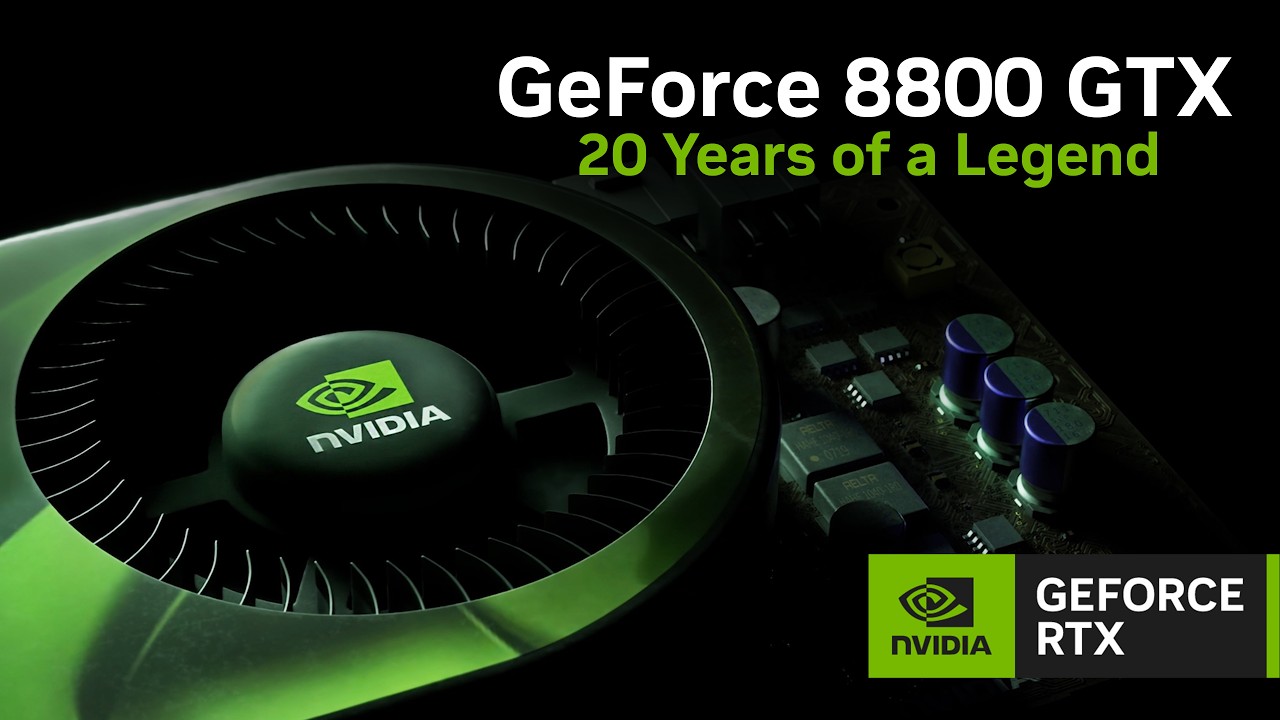
Regardless of context, it was a tone-deaf thing to say — almost as bad as Nvidia’s 'GeForce 8800 GTX — 20 Years of a Legend' tech demo, which was released this week. Nvidia once was loved, or at least respected, by a lot of PC gamers for making genuinely excellent graphics cards and pushing the PC gaming industry forward with various innovations over the years.
Sadly, it has also become incredibly successful due to AI — so successful that it often feels like it's lost interest in the PC gaming industry that made its name, with rumors swirling that it’s ending production of the RTX 5090, while doing nothing about the rising costs of its components thanks to an AI bubble which it's benefitting from and contributing to.
So, when it launched a demo that invited players to relive a time when PC gaming was actually fun and affordable, by allowing them to virtually install its iconic GeForce 8800 GTX graphics card into a retro Windows Vista PC, it felt like Nvidia had misjudged the mood. To make matters worse, Nvidia recommends you have an RTX 5080 to play it — a GPU that is incredibly expensive and hard to find due to the memory shortage, and which is also rumored to be for the chop.
“Oh well,” some of us PC gamers might have thought, “at least we still have perpetual underdog AMD in our corner.” Except, AMD CEO Lisa Su has just been quoted as saying that “We are a data center first company.”
As Nvidia’s closest competitor, AMD was supposed to keep Team Green on its toes, while having a more consumer-friendly approach (being more open to open-source, and not limiting its latest tech to just its own GPUs, for example). Instead, it looks like AMD has had a heel-turn worthy of WWC’s most dramatic betrayals.
To be honest, I’ve been wondering what’s going on with AMD for a while, as it was rather quiet this year in the consumer GPU space; but this turn to the AI-powered dark side still hurts.
Could we really see the two major GPU makers stop making graphics cards altogether? It’s too bleak a future to imagine, but after a week like this, I can’t help but wonder.
What can we do?
I don’t want this to just be a wall of depressing text that would make even Roger Waters think ‘that’s a bit much’, so is there a glimmer of hope to be had? Is there anything any of us can do?
At Computex 2026 this year in Taiwan, I was perplexed by how almost every PC maker was going on about AI-in-everything with a fervor that I’ve just not seen replicated by consumers. I was worried that I was just out of touch.
But there’s been a growing backlash against rampant AI that’s given me hope. I’m not against all forms of AI, but AI that takes work from humans, that plagiarizes human art (including depressing walls of texts written by aging tech journalists), that diminishes creativity and sucks up resources… that AI I would love to see the end of, and I’m not the only one.
Boycotting games made with AI, and avoiding companies that don’t use AI responsibly, can hopefully show companies that this isn’t a magic money tree that they should neglect their customers for. Look at what’s happening with the current stock-market rout on AI companies, where it seems voters were rebelling against rampant AI data center expansion and an administration that seemed all too happy to let tech companies cross lines and drop ethics all in the name of AI (sorry, SI) supremacy.
I don’t want to seen an economic meltdown; but a wake-up call to the likes of Nvidia and AMD, to let them know that the customers who made them — primarily PC gamers like me — aren’t to be taken for granted, would certainly be welcome.
Matt is TechRadar's Managing Editor for Core Tech, looking after computing and mobile technology. Having written for a number of publications such as PC Plus, PC Format, T3 and Linux Format, there's no aspect of technology that Matt isn't passionate about, especially computing and PC gaming. He’s personally reviewed and used most of the laptops in our best laptops guide - and since joining TechRadar in 2014, he's reviewed over 250 laptops and computing accessories personally.





Join the Conversation
Please follow our community guidelines.