Attention: → Knoppix 9.2 is being released exclusively in the german Linux Magazine and Linux-User (DELUG edition) 2021/04
After quite some time...
2020 was a difficult year, and all attempts for a timely public Knoppix 9.1 release after the initial Linux Magazine 9.0 version, failed because of necessary organizational work. Therefore, now a late (better late than never) January 2021 release is out. The underlying technology restructuring is also the base for the upcoming → German Linux-Magazine DVD edition of Knoppix 9.2. Because of a time-consuming restructuring of the software packages contained in the → Cloop-compressed Images, it's now again possible to create a slim CD-sized version - maybe somewhat retro, but a practical minimalist base for your own remastering projects. The CD versions are also present standalone on many Knoppix mirrors in a separate directory.
Contents
- Version 9.1 of KNOPPIX is based on → Debian bullseye, with some packages from Debian/unstable (sid) for newer graphics drivers or desktop software packages. It uses → Linux kernel 5.10.10 and Xorg 7.7 (core 1.20.10) for supporting current computer hardware.
- Kernel Patches: → cloop, → aufs.
- Both 32bit and 64bit kernel supporting both old and new computers, the 64bit version also supporting systems with more than 4GB of RAM and chroot to 64-bit installations for system rescue tasks. The bootloader will start the 64bit kernel automatically if a 64bit-capable CPU is detected (if not manually specified otherwise).
- For Computers that can only start from CD, not from DVD or USB flash pen, a tiny bootable CD image has been placed in the "KNOPPIX" folder, which can be burned and used together with the full USB or DVD version in order to start on old computers.
- LXDE, the lightweight Knoppix standard desktop featuring the compiz 3D extension (0.8, back to genuine Debian).
- Accessible → Adriane Audio Desktop.
- Libre Office 7.0.4, Gimp 2.10.
- Easy Desktop-Export via VNC and RDP.
- Automatic resizing of the Overlay-Partition without Reboot (!) after 1:1 copying to USB flash disk (see → Hybrid Partition Layout),
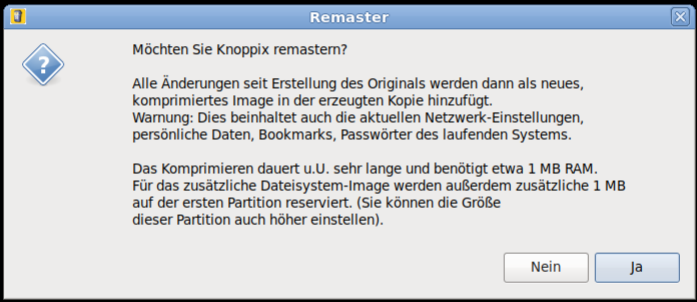
- Remastering-Option when copying to USB flash disk by
flash-knoppix, - Terminator (Terminal-Emulator with many features),
- → support for UEFI Secure Boot
Complete software list: -> DVD (~4000 software packages, over 10GB uncompressed, cloop-compressed to 4.7GB standard DVD-size).
Retro Feature
With the new flash-knoppix script, it is now possible to create a mini-version (ca. 700MB) of Knoppix and also burn it on CD. The mini-edition consists of only the kernel, the graphical LXDE-GUI, tools for data rescue and the chromium browser. With this version, the user can more easily create own projects with a lean base system.
partition layouts
| Hybrid DVD or USB Flash disk (Original.iso) |
|---|
| Partition | Size | File system | Content |
|---|
| 1 | 4GB | iso9660 (ro) | Compressed Knoppix-filesystem (KNOPPIX/KNOPPIX*), Bootfiles, Info |
| 2 | 20MB | FAT32 | EFI-Bootloader and boot files (copy). Invisible on DVD |
| 3 | 4MB | Reiserfs | Empty Linux file system which, in case of a writable medium, will automatically get expanded to maximal available size and is used as writable overlay. Invisible on DVD. |
Because of the Hybrid layout of the ISO file, the file can be copied directly to USB flash disk, either using standard Linux tools like dd or cp, or programs like → Etcher. In this case, the first partition is read-only because of the iso9660 file system. Because of that, boot options cannot be changed permanently in this layout.
Example:
dd if=KNOPPIX_V9.1EN.iso of=/dev/sdb bs=1MA better way of installing, is using → flash-knoppix, which will create the simpler and writable layout with one FAT32 and one Linux partition on USB flash pen. Optionally, a personal remastering can be chosen in version 9.1.
UEFI Secure Boot
KNOPPIX 9.1 generally supports booting in → UEFI and → Secure Boot after installation on USB flash disk. But in order to use this feature, an entry in the UEFI firmware is necessary at first boot attempt. → Find quick instructions here.
Hints about version 9.1
- The newest 32bit version 2019.* OpenScad is disfunctional, when the system is started with a 64bit kernel. Symptom: After starting edit mode, the main OpenScad window freezes and the program can only be terminated by the task manager or
killall openscad.
→ Issue 2933 in the OpenScad github repository.
In the 9.x release of Knoppix, the working version 2015.03 of OpenScad, from Debian/oldstable, is installed.
ADRIANE
![[Penguin with sunglasses]](https://www.knopper.net/pics/knoppix-pinguin-blind-small.gif)
→ A.D.R.I.A.N.E. (Audio Desktop Reference Implementation And Networking Environment) is a talking menu system, which is supposed to make work and internet access easier for computer beginners, even if they have no sight contact to the computers monitor. A graphical environment with also talking programs and arbitrary magnification using compiz, is another option.
Booting from Flash
![[Picture of a SD-flashdisk]](https://www.knopper.net/pics/sd.png)
In order to create a bootable USB-medium (memory flashdisk, SD-card, digital camera with USB connector, cellphone with microSD, ...), the program flash-knoppix can be started from a running KNOPPIX system. This program installs all needed KNOPPIX files onto the FAT-formatted flashdisk, and creates a boot record for it. If desired, the target medium can be partitioned and formatted, or left in its inistal state, so that existing files stay intact. The KNOPPIX Live System starts and runs about factor 5 faster from USB flash disk than from CD or DVD!
After having copied the system to flash, using the persistent KNOPPIX image (overlay feature) or an additional Linux partition, it is possible to also store files permanently in live mode. That way, personal settings and additionally installed programs survive a reboot.
Update: Computers without DVD drive
The flash-knoppix script since Knoppix 7.4.0 supports on-the-fly conversion of a DVD ISO image for direct flashing of a USB pendrive or disk. By using this, the intermediate step of burning a DVD and booting from it, can be skipped. For burning a CD or DVD, only one single .iso file matching your language and version choice, is sufficient. For using this feature, just add the name of the .iso file as commandline parameter to flash-knoppix like this: flash-knoppix KNOPPIX_V9.1-EN.iso
Boot options and controls
Overview of the most important functions. A complete description and listing of shortcuts can be found in the configurations of sbl, orca and compiz.
| Boot options (can be entered in the startup screen) |
|---|
adriane     Start ADRIANE (32bit) with talking text desktop

knoppix     Start KNOPPIX (32bit) with graphical environment

knoppix64   Same as above, with 64-bit kernel (DVD version only)

knoppix/adriane acpi=off noapic nolapic pci=bios ...
            problem solvers, if computer doesn't start

knoppix testcd  Check CD/DVD/flashdisk for errors

knoppix tohd=/dev/sda1    Copy CD content to harddisk
            (sda1: 1st partition on 1st SATA harddisk)
	    and start from there (free CD-rom drive)

knoppix toram             Load CD content to memory and start
            from there (free CD-rom drive)
|
| ADRIANE navigation in text mode |
|---|
CapsLock + space              read current line
CapsLock + arrow up           read previous line
CapsLock + arrow down         read next line
CapsLock + pageup             read from beginning of page to current position
CapsLock + pagedown           read from here to end of page
CapsLock + arrow left/right   spell charwise
|
| Navigation with compiz and orca in graphics mode |
|---|
Super + mouse wheel                 Set zoom scale
Super + m                           small mouse lens
mouse to upper right corner         window overview
CapsLock + space                    start orca preferences (if startet)
Control + Alt + MousebuttonLeft     Rotate Desktop cube manually
Control + Alt + Shift + ArrowRight  Move Window to different
                                    cube side
Super + AltLeft + MousebuttonLeft   Comment on screen
Super + AltLeft + k                 Remove screen comment

Super = penguin- or "window"-key left
|
Knopper.Net is not responsible for the content of external web pages

![[DE]](https://www.knopper.net/pics/de.gif)



![[Donate to KNOPPIX]](https://www.knopper.net/pics/knoppix-donation-small.gif)
![[Like KNOPPIX on Facebook]](https://www.knopper.net/pics/knoppix-fblike.gif)