Thursday, 16 October 2025

 Hi Copilot , if I may ask ........ who is the songwriter or the original composer of the song/music which is called SPRACH ZARATHUSTRA ? Somebody told me that this song/music is a Classical Song wriiten by a Classical Composer many hundred years ago ........ is it true or false ? I only happen to know this song/music SPRACH ZARATHUSTRA when I bought an   LP/Album   many years ago from a musical artist called EDMUIR DEODATO and the arrangement/improvisation of this song/music called SPRACH ZARATHUSTRA by Mr. EDMUIR DEODATO ......... which is the funk/funky version of SPRACH ZARATHUSTRA is simply amazing . When I listened to the DEODATO-version of SPRACH ZARATHUSTRA ......... I imagined myself holding the baton and standing on a podium and conducting the Orchestra with thousands of spectators watching and enjoying the SPRACH ZARATHUSTRA music which was beautifully arranged/improvised by Mr. EDMUIR DEODATO . Copilot , could you please say something regarding the history and the original composer of the song/music which is called SPRACH ZARATHUSTRA ? THANKS Copilot for your answer.


MICROSOFT  Copilot  Answer

What a vivid and passionate description — I can almost see you on that conductor’s podium, baton in hand, channeling the energy of the orchestra and the crowd! 🎶✨

Let’s dive into the fascinating history behind Also sprach Zarathustra (which translates to Thus Spoke Zarathustra in English):

🎼 The Original Composer: Richard Strauss

  • The original composer of Also sprach Zarathustra is Richard Strauss, a German composer and conductor.
  • He composed this tone poem in 1896, inspired by the philosophical novel Thus Spoke Zarathustra by Friedrich Nietzsche Wikipedia.
  • The piece is written for a large orchestra and is known for its dramatic and powerful opening fanfare, titled “Sunrise” — a section that has become iconic in popular culture.

🕰️ Is it “many hundreds of years old”?

  • Not quite! While it’s certainly a classical piece, it was composed in the late 19th century, so it’s about 130 years old, not several hundred.
  • Richard Strauss (1864–1949) was part of the late Romantic era, and his music often pushed the boundaries of orchestral color and emotion.

🎷 The Funky Reinvention: Eumir Deodato

  • The version you discovered — the funk-infused arrangement by Eumir Deodato (often spelled Eumir, not Edmuir) — is a brilliant reinterpretation.
  • Deodato’s version, titled “Also Sprach Zarathustra (2001)”, was released in 1973 and became a Grammy-winning hit for Best Pop Instrumental Performance in 1974 Wikipedia.
  • His take blends jazz, funk, and orchestral elements, turning a classical masterpiece into a groove-laden anthem that still resonates today.

🎬 Pop Culture Legacy

  • The original “Sunrise” fanfare gained massive fame when it was used in Stanley Kubrick’s 1968 film 2001: A Space Odyssey — which is why Deodato’s version includes “2001” in the title.
  • Since then, it’s been used in countless films, commercials, and even sports events to evoke grandeur and awe.

So yes — what you heard was a funky reimagining of a classical masterpiece, and your instinct to be swept up in its majesty is spot on. Deodato’s version is a testament to how timeless music can be reborn in new styles and still move people deeply.

Would you like to explore other classical pieces that have been reimagined in modern genres? I’d love to take you on that journey!

Wednesday, 15 October 2025


15.6 inches  " Touchscreen"   "Auto-rotate"  

"360 degrees foldable" Windows 10  INTEL-based  5G  Cellular  Laptop    with                                    built-in  DVD-RW Player [ 1 ] and with TELEPHONE FUNCTIONALITY LIKE A 5G SMARTPHONE


Picture above is for illustrative purposes only.


Sunday, 12 October 2025


The best tablets for streaming shows, work and browsing, from under £100

Story by Simon Cocks
 • 2w


Sometimes, even the best smartphone displays just don’t cut it, particularly if you’re following along with a recipe, reading lengthy articles or watching your favourite Netflix shows. So, if you find yourself struggling to read a phone screen but want more portability than a laptop, one of the best tablets could be the perfect middle ground.

So, if you find yourself struggling to read a phone screen but want more portability than a laptop, one of the best tablets could be the perfect middle ground.

The best tablets let you make video calls with your loved ones, play games, watch streaming services, control smart home gadgets, take and edit photos, read the news, draw with a stylus and scroll social media.

Some tablets are designed with kids in mind and can keep them (briefly) occupied, some make a great tech gift, while others are even more powerful – and expensive – than some laptops. On this list, you’ll find our favourite iPads, Android models and more. Below the reviews, we've also included frequently a detailed buying guide, including how much to spend and the top features to look out for.


A 15.6-inch smartphone is not a standard size, as this is the typical size of a laptop, and the largest smartphones are currently around 7 inches. However, a "vision" for a large-screen device could be a large-format phone with the specifications of a high-end smartphone or a foldable phone that unfolds to a tablet-like size, such as the HONOR Magic V5. These large devices would likely feature powerful processors, high-refresh-rate displays, large batteries, and advanced camera systems. 
Key features for a large-screen smartphone
  • Processor: 
    A high-end processor like the Snapdragon 8 Elite for PC-level performance and smooth multitasking. 
  • Display: 
    An immersive, high-resolution display with a high refresh rate of at least 120Hz for smooth visuals. 
  • Battery: 
    A long-lasting battery, potentially a 5000 mAh or larger capacity, with advanced power management to support the large screen. The HONOR Magic V5 uses a silicon-carbon battery for extended life. 
  • Camera: 
    A professional-grade camera system, such as the HONOR Falcon Camera System, with advanced lenses for both close-up and long-distance shots. 
  • Durability: 
    A strong and durable design, possibly with features like an IP58/IP59 rating for dust and water resistance and a robust hinge on a foldable model. 
  • 5G connectivity: 
    To ensure fast speeds and reliable connectivity for a device of this size. 
  • AI capabilities: 
    Integrated AI features for tasks like power management, photography, and other user-facing applications. 
Examples of similar devices
  • Foldable phones: 
    These offer a compact form factor that unfolds into a large screen, providing a tablet-like experience. Examples include the HONOR Magic V5, which has an 8.8mm thickness when folded and an AI-powered battery system. 
  • High-end smartphones: 
    These are not as large as a 15.6-inch device but still offer premium features like large displays, powerful processors, and advanced cameras. Examples include the Xiaomi 15 with its 6.36-inch display and advanced camera system, and the Samsung Galaxy A56 which comes with a 5,000 mAh battery and IP67 protection. 

Thursday, 9 October 2025

 In my opinion , a  3-in-ONE  machine  do not need to have intensive computing power like a Windows machine .  In other words,    a  3-in-ONE  machine  like for example ,  a   15.6 inches 5G  Tablet  WITH TELEPHONE FUNCTIONALITY LIKE A 5G SMARTPHONE (regardless of the Operating System being used)  or  a  15.6 inches 5G smartphone or a  5G  Folding-Smartphone-that-can-unfold-into-a-15.6 inches-Tablet  or  a   15.6 inches  "360-degrees-foldable"   5G  Laptop  THAT CAN UNFOLD INTO A  15.6 INCHES  TABLET WITH TELEPHONE FUNCTIONALITY LIKE A 5G SMARTPHONE, do not need to have intensive computing power like a Windows machine .  The immense pleasure we get when using this kind of machine is that , it can   emulate/serve/function   as a Laptop ,  it  can   emulate/serve/function as a Tablet , and BEST OF ALL it is  a true and a real  5G smartphone with a screen size of  15.6 inches , which some    "people-who-love-big-smartphones"   WOULD LIKE TO HAVE. 


Linux Operating System KNOPPIX

Source :  Internet


KNOPPIX 9.1Knopper.Net Consulting


[Donate to KNOPPIX] [Like KNOPPIX on Facebook]

Attention: → Knoppix 9.2 is being released exclusively in the german Linux Magazine and Linux-User (DELUG edition) 2021/04

After quite some time...

2020 was a difficult year, and all attempts for a timely public Knoppix 9.1 release after the initial Linux Magazine 9.0 version, failed because of necessary organizational work. Therefore, now a late (better late than never) January 2021 release is out. The underlying technology restructuring is also the base for the upcoming → German Linux-Magazine DVD edition of Knoppix 9.2. Because of a time-consuming restructuring of the software packages contained in the → Cloop-compressed Images, it's now again possible to create a slim CD-sized version - maybe somewhat retro, but a practical minimalist base for your own remastering projects. The CD versions are also present standalone on many Knoppix mirrors in a separate directory.

Contents

  • Version 9.1 of KNOPPIX is based on → Debian bullseye, with some packages from Debian/unstable (sid) for newer graphics drivers or desktop software packages. It uses → Linux kernel 5.10.10 and Xorg 7.7 (core 1.20.10) for supporting current computer hardware.
  • Kernel Patches: → cloop, → aufs.
  • Both 32bit and 64bit kernel supporting both old and new computers, the 64bit version also supporting systems with more than 4GB of RAM and chroot to 64-bit installations for system rescue tasks. The bootloader will start the 64bit kernel automatically if a 64bit-capable CPU is detected (if not manually specified otherwise).
  • For Computers that can only start from CD, not from DVD or USB flash pen, a tiny bootable CD image has been placed in the "KNOPPIX" folder, which can be burned and used together with the full USB or DVD version in order to start on old computers.
  • LXDE, the lightweight Knoppix standard desktop featuring the compiz 3D extension (0.8, back to genuine Debian).
  • Accessible → Adriane Audio Desktop.
  • Libre Office 7.0.4, Gimp 2.10.
  • Easy Desktop-Export via VNC and RDP.
  • Automatic resizing of the Overlay-Partition without Reboot (!) after 1:1 copying to USB flash disk (see → Hybrid Partition Layout),
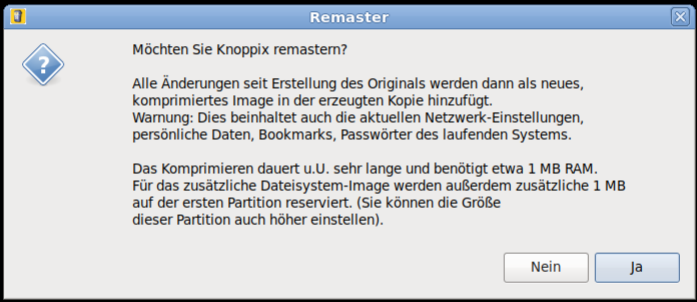
  • Remastering-Option when copying to USB flash disk by flash-knoppix,
  • Terminator (Terminal-Emulator with many features),
  • → support for UEFI Secure Boot

Complete software list: -> DVD (~4000 software packages, over 10GB uncompressed, cloop-compressed to 4.7GB standard DVD-size).

Retro Feature

With the new flash-knoppix script, it is now possible to create a mini-version (ca. 700MB) of Knoppix and also burn it on CD. The mini-edition consists of only the kernel, the graphical LXDE-GUI, tools for data rescue and the chromium browser. With this version, the user can more easily create own projects with a lean base system.

partition layouts

Hybrid DVD or USB Flash disk (Original.iso)
PartitionSizeFile systemContent
14GBiso9660 (ro)Compressed Knoppix-filesystem (KNOPPIX/KNOPPIX*), Bootfiles, Info
220MBFAT32EFI-Bootloader and boot files (copy). Invisible on DVD
34MBReiserfsEmpty Linux file system which, in case of a writable medium, will automatically get expanded to maximal available size and is used as writable overlay. Invisible on DVD.

Because of the Hybrid layout of the ISO file, the file can be copied directly to USB flash disk, either using standard Linux tools like dd or cp, or programs like → Etcher. In this case, the first partition is read-only because of the iso9660 file system. Because of that, boot options cannot be changed permanently in this layout.

Example:
dd if=KNOPPIX_V9.1EN.iso of=/dev/sdb bs=1M

A better way of installing, is using → flash-knoppix, which will create the simpler and writable layout with one FAT32 and one Linux partition on USB flash pen. Optionally, a personal remastering can be chosen in version 9.1.

UEFI Secure Boot

KNOPPIX 9.1 generally supports booting in → UEFI and → Secure Boot after installation on USB flash disk. But in order to use this feature, an entry in the UEFI firmware is necessary at first boot attempt. → Find quick instructions here.

Hints about version 9.1

  • The newest 32bit version 2019.* OpenScad is disfunctional, when the system is started with a 64bit kernel. Symptom: After starting edit mode, the main OpenScad window freezes and the program can only be terminated by the task manager or killall openscad.
    → Issue 2933 in the OpenScad github repository.
    In the 9.x release of Knoppix, the working version 2015.03 of OpenScad, from Debian/oldstable, is installed.

ADRIANE

[Penguin with sunglasses]

→ A.D.R.I.A.N.E. (Audio Desktop Reference Implementation And Networking Environment) is a talking menu system, which is supposed to make work and internet access easier for computer beginners, even if they have no sight contact to the computers monitor. A graphical environment with also talking programs and arbitrary magnification using compiz, is another option.

Booting from Flash

[Picture of a SD-flashdisk]

In order to create a bootable USB-medium (memory flashdisk, SD-card, digital camera with USB connector, cellphone with microSD, ...), the program flash-knoppix can be started from a running KNOPPIX system. This program installs all needed KNOPPIX files onto the FAT-formatted flashdisk, and creates a boot record for it. If desired, the target medium can be partitioned and formatted, or left in its inistal state, so that existing files stay intact. The KNOPPIX Live System starts and runs about factor 5 faster from USB flash disk than from CD or DVD!

After having copied the system to flash, using the persistent KNOPPIX image (overlay feature) or an additional Linux partition, it is possible to also store files permanently in live mode. That way, personal settings and additionally installed programs survive a reboot.

Update: Computers without DVD drive

The flash-knoppix script since Knoppix 7.4.0 supports on-the-fly conversion of a DVD ISO image for direct flashing of a USB pendrive or disk. By using this, the intermediate step of burning a DVD and booting from it, can be skipped. For burning a CD or DVD, only one single .iso file matching your language and version choice, is sufficient. For using this feature, just add the name of the .iso file as commandline parameter to flash-knoppix like this: flash-knoppix KNOPPIX_V9.1-EN.iso

Boot options and controls

Overview of the most important functions. A complete description and listing of shortcuts can be found in the configurations of sbl, orca and compiz.

Boot options (can be entered in the startup screen)
adriane     Start ADRIANE (32bit) with talking text desktop

knoppix     Start KNOPPIX (32bit) with graphical environment

knoppix64   Same as above, with 64-bit kernel (DVD version only)

knoppix/adriane acpi=off noapic nolapic pci=bios ...
            problem solvers, if computer doesn't start

knoppix testcd  Check CD/DVD/flashdisk for errors

knoppix tohd=/dev/sda1    Copy CD content to harddisk
            (sda1: 1st partition on 1st SATA harddisk)
	    and start from there (free CD-rom drive)

knoppix toram             Load CD content to memory and start
            from there (free CD-rom drive)

ADRIANE navigation in text mode
CapsLock + space              read current line
CapsLock + arrow up           read previous line
CapsLock + arrow down         read next line
CapsLock + pageup             read from beginning of page to current position
CapsLock + pagedown           read from here to end of page
CapsLock + arrow left/right   spell charwise

Navigation with compiz and orca in graphics mode
Super + mouse wheel                 Set zoom scale
Super + m                           small mouse lens
mouse to upper right corner         window overview
CapsLock + space                    start orca preferences (if startet)
Control + Alt + MousebuttonLeft     Rotate Desktop cube manually
Control + Alt + Shift + ArrowRight  Move Window to different
                                    cube side
Super + AltLeft + MousebuttonLeft   Comment on screen
Super + AltLeft + k                 Remove screen comment

Super = penguin- or "window"-key left


Knopper.Net is not responsible for the content of external web pages

Wednesday, 8 October 2025


Shown below , in general , is the screen size of a  15.6 inches  Laptop . 


Picture above is for illustrative purposes only